How to Become a UX Designer Without a Degree: Your Comprehensive Guide for 2026
This comprehensive guide isn’t just theory; it’s a practical roadmap born from years of experience and countless hours mentoring aspiring designers. We’ll demystify the core principles, equip you with the essential tools, show you how to build a portfolio that speaks volumes, and guide you through securing your first role. If you’re passionate about solving user problems, crafting intuitive experiences, and ready to put in the work, then let’s embark on this journey together. Your future as a UX designer starts now.
Demystifying UX Design: Beyond the Buzzwords
Before we dive into the ‘how,’ let’s clarify ‘what’ exactly we’re aiming for. UX design is often misunderstood, frequently conflated with UI design or graphic design. While these disciplines are intertwined, UX design is fundamentally about understanding human behavior, identifying pain points, and crafting solutions that make products and services useful, usable, and desirable. It’s about the entire journey a user takes with a product, from their first interaction to their long-term engagement.
Core Principles of User Experience
- User-Centered Design (UCD): This is the bedrock. Every decision is made with the user at the forefront, requiring deep empathy and understanding of their needs, motivations, and contexts.
- Usability: Is the product easy to learn, efficient to use, and satisfying? Can users achieve their goals without frustration?
- Accessibility: Ensuring your designs are usable by people with diverse abilities, including those with visual, auditory, motor, or cognitive impairments. This isn’t just good practice; it’s often a legal requirement and always an ethical imperative.
- Information Architecture (IA): How content is organized, structured, and labeled to help users find information and complete tasks. Think sitemaps, navigation, and content hierarchies.
- Interaction Design (IxD): Focusing on how users interact with a product, including gestures, animations, feedback loops, and overall flow. It’s about creating intuitive and delightful interfaces.
Key Responsibilities of a UX Designer
As a UX designer, you’ll wear many hats, often moving through different phases of the design process:
- User Research: Conducting interviews, surveys, usability tests, and competitive analysis to gather insights into user needs and behaviors.
- Ideation: Brainstorming solutions, sketching concepts, and collaborating with cross-functional teams.
- Wireframing & Prototyping: Creating low-fidelity (sketches, basic wireframes) to high-fidelity (interactive prototypes) representations of your design solutions.
- Usability Testing: Putting your designs in front of real users to identify pain points and validate assumptions.
- Iteration: Refining designs based on feedback and research findings, understanding that design is rarely a linear process.
The industry’s focus has shifted significantly. Companies today prioritize candidates who can demonstrate a robust understanding of these principles and a practical ability to apply them, regardless of how they acquired that knowledge. Your ability to solve real-world problems and articulate your design process will far outweigh the absence of a traditional degree.
Building Your Foundational Skillset: The Self-Taught Curriculum

Embarking on a self-taught journey requires discipline and a strategic approach to learning. Think of it as designing your own curriculum, focusing on the most impactful skills first. Here’s a breakdown of what to prioritize:
Core UX Principles & Methodologies (Deep Dive)
- User Research Methods:
- Interviews: Learn how to ask open-ended questions, listen actively, and uncover deeper motivations.
- Surveys: Craft effective questionnaires using tools like Google Forms or SurveyMonkey.
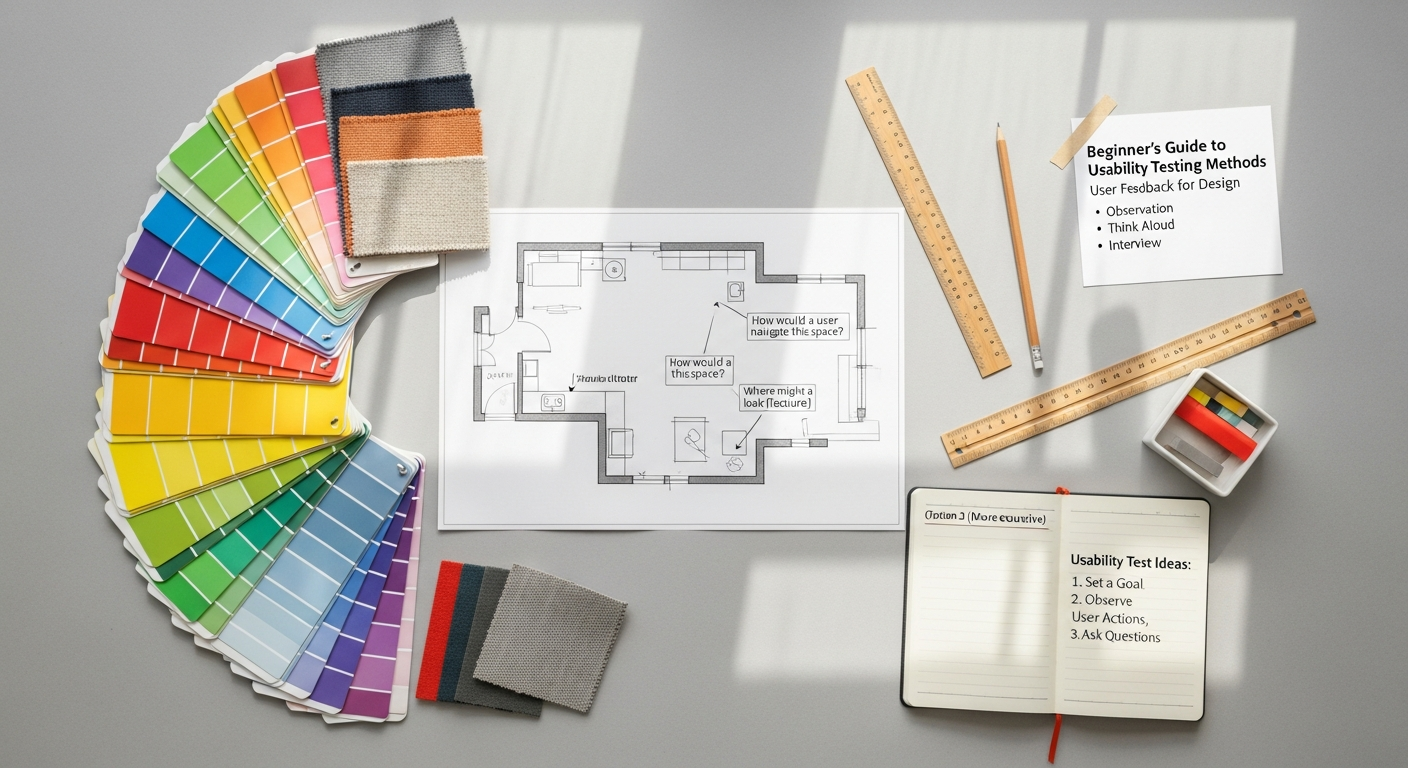
- Usability Testing: Understand different types (moderated, unmoderated), how to set tasks, observe users, and analyze findings. Practice with tools like Maze or UserTesting.com (even free trials).
- Competitive Analysis: Research how competitors solve similar problems.
- Information Architecture (IA):
- Card Sorting: A technique for understanding how users group and categorize information.
- Tree Testing: Evaluating the findability of topics within a website structure.
- Sitemaps & User Flows: Learn to diagram the structure of a product and the paths users take.
- Interaction Design (IxD):
- Mental Models: Understanding how users expect things to work based on past experiences.
- Feedback Loops: Designing clear responses to user actions (e.g., loading spinners, confirmation messages).
- Micro-interactions: The small, delightful animations and feedback that enhance user experience (e.g., a “like” button animation).
- Usability Heuristics: Study Jakob Nielsen’s 10 Usability Heuristics for User Interface Design. These are fundamental guidelines for evaluating the usability of any interface.
Design Tools Mastery (Hands-On Practice is Key)
Proficiency in industry-standard tools is non-negotiable. Don’t just watch tutorials; build things. Replicate existing designs, then start your own projects.
- UI Design & Prototyping:
- Figma: This is your primary weapon. It’s collaborative, cloud-based, and incredibly powerful for everything from wireframing to high-fidelity prototyping and design systems. Master its auto layout, components, and prototyping features.
- Adobe XD: Still widely used, especially in larger enterprises or teams integrated into the Adobe Creative Suite. Offers robust prototyping and design system features.
- Sketch: A Mac-only vector editor that set many industry standards. While Figma has gained dominance, understanding Sketch’s principles can still be valuable.
- Research & Collaboration Tools:
- Miro / FigJam: For virtual whiteboarding, brainstorming, affinity mapping, and collaborative ideation.
- Google Forms / SurveyMonkey: For creating and distributing surveys.
- Zoom / Google Meet: For conducting remote user interviews and usability tests.
- Visual Design Basics: While UX isn’t solely about aesthetics, a strong understanding of visual design principles is crucial for creating effective interfaces.
- Typography: Learn about font pairing, hierarchy, and readability.
- Color Theory: Understand how colors evoke emotions and impact accessibility.
- Layout & Grid Systems: How to arrange elements for clarity and visual balance.
- Iconography: Designing clear and consistent visual metaphors.
- Tools like Adobe Illustrator/Photoshop: Useful for creating custom icons, illustrations, or manipulating images, but not your primary UX design tool.
Essential Soft Skills
These are often overlooked but are just as critical as your hard skills:
- Communication: Articulating your design decisions, presenting research findings, and collaborating effectively with developers, product managers, and stakeholders.
- Empathy: The ability to genuinely understand and share the feelings of others – your users.
- Problem-Solving: Breaking down complex problems into manageable parts and devising creative solutions.
- Critical Thinking: Questioning assumptions, evaluating evidence, and making informed design choices.
- Collaboration: Working effectively in a team environment, giving and receiving constructive feedback.
Invest time in online courses (Coursera, Udemy, edX), YouTube tutorials, design blogs (like this one!), and books. Practice daily. Recreate interfaces, identify usability issues in apps you use, and try to redesign them. This hands-on, iterative learning is how you build true mastery.
The Portfolio is Your Degree: Crafting Irresistible Case Studies
This is arguably the single most important section for anyone without a degree. Your portfolio isn’t just a collection of pretty pictures; it’s your professional narrative, your design philosophy, and undeniable proof of your capabilities. It’s how you demonstrate that you can think like a UX designer, solve real problems, and deliver tangible results. Think of each project as a comprehensive case study, not just a showcase of final designs.
What Makes a Great Case Study?
A compelling UX case study tells a story. It walks the reader through your thought process, from problem to solution. Here’s the structure I recommend:
- Project Overview & Problem Statement:
- Clearly define the challenge you set out to solve. What was the user problem? What was the business goal?
- State your role in the project and the team (if applicable).
- Briefly mention the project’s duration and scope.
- Research & Discovery:
- Show, don’t just tell. Detail your research methods (user interviews, surveys, competitive analysis, usability testing).
- Present your key findings and insights. Use quotes, affinity diagrams, personas, or user journey maps.
- Explain why you chose those methods and what you learned.
- Ideation & Design:
- This is where you show your creative problem-solving.
- Start with low-fidelity sketches and wireframes to demonstrate early concepts. Show how you iterated.
- Progress to mid-fidelity wireframes and then high-fidelity mockups.
- Explain your design decisions: Why did you choose this layout? This interaction? This visual style? Connect it back to your research findings and UX principles.
- Include user flows, task analyses, and interaction design details.
- Prototyping & Testing:
- Describe how you prototyped your solution (e.g., “I used Figma to create an interactive prototype…”).
- Detail your testing methodology (e.g., “I conducted moderated usability tests with 5 target users…”).
- Share the results of your testing – what worked, what didn’t, and what insights you gained.
- Iteration & Refinement:
- Show how you incorporated feedback and research findings to refine your designs. This demonstrates your iterative mindset.
- Solution & Impact:
- Present your final design solution clearly.
- Quantify the impact if possible (e.g., “Improved task completion rate by X%,” “Reduced user errors by Y%”). Even if hypothetical, explain the intended impact.
- Learnings & Next Steps:
- Reflect on what you learned from the project. What would you do differently next time? What are potential future enhancements? This shows self-awareness and a growth mindset.
Project Ideas for Your Portfolio
You don’t need to have worked for a big company to build a strong portfolio. Start with these:
- Redesign a Poorly Designed App or Website: Choose a product you use frequently that has obvious usability issues. Document the current experience, identify pain points, and propose a redesigned solution. This is a fantastic way to show critical thinking.
- Solve a Personal Pain Point: Design a solution for a problem you or someone you know faces regularly. Authenticity resonates.
- Concept Project: Invent a new product or feature from scratch. This allows maximum creative freedom.
- Volunteer/Pro-Bono Work: Offer your skills to local non-profits, small businesses, or community organizations. Real-world constraints and client interaction are invaluable.
- Participate in Design Challenges: Platforms like Daily UI or challenges within the Figma community can provide structured prompts to practice your skills.
Presenting Your Portfolio
Your portfolio itself needs to be a well-designed experience. Use platforms like Behance, Dribbble, or create your own simple website using tools like Webflow or Squarespace. Ensure it’s easy to navigate, visually appealing, and showcases your work clearly. High-quality visuals, concise writing, and a strong personal brand will make it shine.
Gaining Real-World Experience: Beyond the Classroom

While your portfolio proves you can design, real-world experience demonstrates you can collaborate, meet deadlines, and navigate professional environments. This is where you bridge the gap between theoretical knowledge and practical application.
Internships (Paid or Unpaid)
Internships are invaluable. They provide structured learning, mentorship, and a chance to contribute to actual products. Don’t shy away from unpaid or low-paid internships initially – the experience and networking opportunities often pay dividends long-term. Look for:
- Startup Internships: Startups often have leaner teams, meaning you might get more responsibility and exposure to different aspects of the product development cycle.
- Agency Internships: Exposure to diverse clients and projects, fostering rapid learning.
- “Apprentice” or “Junior” Roles: Some companies offer entry-level positions specifically designed for new designers with strong portfolios but limited professional experience.
When applying, emphasize your self-starter attitude, your eagerness to learn, and your strong foundational portfolio.
Freelance/Pro-Bono Work
This is an excellent way to gain client experience and build out your portfolio with diverse projects. Start small:
- Local Businesses: Approach small businesses in your community (cafes, boutiques, service providers) that might need a website redesign or a simple app concept.
- Non-Profits: Many non-profit organizations are thrilled to receive pro-bono design help. This is a fantastic way to give back while gaining experience.
- Friends & Family: Offer to design something for their personal projects or small ventures.
Treat every pro-bono project like a paid gig. Document your process, manage expectations, and deliver professional results. This builds your reputation and your portfolio.
Design Challenges & Hackathons
These events are fantastic for rapid prototyping, working under pressure, and collaborating with developers and other designers. They force you to think on your feet and make quick decisions, simulating a fast-paced work environment. Look for:
- Online Design Challenges: Platforms like Daily UI (as mentioned), UX Challenges, or even specific challenges posed by design communities.
- Local Hackathons: Many cities host hackathons where teams build solutions to specific problems within a short timeframe. Even if you’re the only designer, it’s great experience.
Open Source Contributions
Contribute to open-source projects. Many open-source initiatives welcome designers to improve their user interfaces, create design systems, or refine user flows. This allows you to work on real products, collaborate with developers, and get your work seen by a wider community.
Mentorship
Finding a mentor can accelerate your growth exponentially. A mentor can provide guidance, feedback on your portfolio, and insights into the industry. Look for mentors on LinkedIn, through design communities, or at local meetups. Be clear about what you’re looking for and respect their time. Even brief, informal chats can be incredibly valuable.
The key here is active pursuit. Don’t wait for opportunities to come to you; seek them out. Every project, every interaction, every challenge is a chance to learn, grow, and strengthen your resume.
Networking and Personal Branding: Your Gateway to Opportunities
In a field that values collaboration and communication, your network and personal brand are just as crucial as your design skills. These aren’t just buzzwords; they’re active strategies to get noticed, learn from others, and uncover hidden opportunities.
Cultivating Your Online Presence
- LinkedIn: This is your professional hub.
- Optimize Your Profile: Use keywords like “UX Designer,” “Product Designer,” “Figma,” “User Research.”
- Showcase Your Portfolio: Link prominently to your case studies.
- Engage: Share articles, comment on posts from industry leaders, and participate in relevant discussions. Don’t just consume; contribute.
- Dribbble / Behance: While excellent for visual inspiration, also use them to showcase snippets of your UI work and link back to your detailed case studies.
- Medium / Personal Blog: Write about your design process, share your learnings, or reflect on a design challenge. This positions you as a thought leader and demonstrates your communication skills. Even a short post about a usability critique you did can be impactful.
- Twitter: Follow and engage with UX thought leaders, design agencies, and industry news. It’s a great way to stay current and connect informally.
Community Engagement
Get out there (virtually or in person) and connect with other designers. This is where you learn about job openings, get feedback, and find potential collaborators.
- Local Meetups: Search for UX/UI design meetups in your city (e.g., through Meetup.com). Attend, introduce yourself, and ask questions.
- Online Forums & Communities:
- Reddit: Subreddits like r/UXDesign, r/userexperience, and r/DesignCritiques are active communities.
- Figma Community: Share your files, explore others’ work, and engage in discussions.
- Slack/Discord Channels: Many design communities have dedicated channels for networking, job postings, and peer support.
- Design Conferences & Webinars: Attend virtual conferences or watch recordings of past talks. This keeps you updated on trends and introduces you to new ideas.
Informational Interviews
This is a powerful, underutilized networking tool. Reach out to UX designers whose work you admire and ask if they’d be willing to have a 15-20 minute chat about their career path, their role, and their advice for aspiring designers. Frame it as a learning opportunity, not a job hunt. This builds your network organically and provides invaluable insights.
- How to Approach: Send a polite, concise message on LinkedIn. Explain why you’re reaching out (e.g., “I admire your work on X project,” or “Your article on Y was very insightful”).
- What to Ask: Focus on their journey, challenges, advice for someone new to the field, and what they see as future trends.
Developing Your Personal Brand
What makes you unique? Are you passionate about accessibility? Do you have a background in psychology that informs your research? Is there a particular industry (e.g., FinTech, Healthcare) that fascinates you? Your personal brand is your unique value proposition. Articulate it clearly on your portfolio, LinkedIn, and in conversations. This helps you stand out in a competitive market.
Remember, networking isn’t just about what others can do for you; it’s about building genuine relationships and contributing to the community. Be helpful, be curious, and be authentic.
The Job Hunt: Strategies for the Non-Degree Holder
You’ve built your skills, crafted a stellar portfolio, and started gaining experience. Now comes the exciting, yet often challenging, part: landing your first UX role. For non-degree holders, the job hunt requires a strategic approach to highlight your strengths and address potential concerns proactively.
Tailoring Your Resume/CV
Your resume needs to be a concise, powerful marketing document. Since you don’t have a traditional degree to lean on, you’ll emphasize other aspects:
- Skills Section First: Prominently list your hard skills (Figma, user research, wireframing, prototyping, usability testing) and soft skills (communication, empathy, problem-solving).
- Projects/Portfolio Emphasis: Instead of an “Experience” section focused solely on past employers, create a “Key Projects” or “Portfolio Highlights” section. Briefly describe 2-3 of your strongest case studies and link directly to them.
- Relevant Experience: Include any internships, freelance work, or pro-bono projects under “Experience,” detailing your responsibilities and impact.
- Education (Optional/Reframe): If you have an unrelated degree, list it briefly at the bottom. If you don’t have one, consider including relevant courses, bootcamps, or certifications you’ve completed under a “Learning & Development” section.
- Keywords: Ensure your resume includes keywords found in job descriptions you’re targeting.
Keep it to one page if possible, especially for entry-level roles. Clarity and conciseness are key.
Crafting a Compelling Cover Letter
This is your opportunity to tell your story and bridge any perceived gaps. Don’t just reiterate your resume; explain why you’re passionate about UX and how your unique journey has prepared you for this specific role.
- Address the “No Degree” Proactively (and Positively): You can briefly acknowledge that you’ve pursued a non-traditional path, then immediately pivot to how this has made you a highly motivated, self-directed learner with a strong, practical skillset.
- Connect Your Experience: Draw clear lines between your portfolio projects, self-taught skills, and the requirements of the job description. Show them you’ve done your homework on their company and product.
- Show Enthusiasm: Express genuine interest in their company’s mission and culture.
- Highlight Soft Skills: Mention how your communication, collaboration, and problem-solving skills make you an ideal team member.
Always customize your cover letter for each application. Generic letters rarely get noticed.
Interview Preparation: Beyond the Portfolio Review
Interviews for UX roles often involve multiple stages:
- Initial Screen: A recruiter will assess your basic qualifications and cultural fit. Be ready to give a concise overview of your background and passion for UX.
- Portfolio Review: Be prepared to walk through 1-2 of your strongest case studies in detail. Practice articulating your process, design decisions, and learnings. Anticipate questions like “Why did you choose X?” or “What challenges did you face?”
- Whiteboarding Challenge / Design Exercise: Many companies will give you a design problem to solve on the spot (or a take-home exercise).
- For Whiteboarding: Focus on demonstrating your thought process, not a perfect solution. Ask clarifying questions, define the problem, sketch user flows, consider edge cases, and articulate your assumptions.
- For Take-Home: Treat it like a mini-case study. Document your process, research, and decisions.
- Behavioral Questions: Be ready to answer questions about teamwork, conflict resolution, handling feedback, and dealing with failure. Use the STAR method (Situation, Task, Action, Result) to structure your answers.
Practice mock interviews with a friend or mentor. The more you articulate your process, the more confident you’ll become.
Persistence & Mindset
The job hunt can be a long and challenging process, especially for entry-level roles. You will face rejections – it’s part of the journey. Don’t let it discourage you. Each “no” brings you closer to a “yes.”
- Seek Feedback: If possible, ask for feedback after rejections. This can provide invaluable insights for future applications.
- Keep Learning & Iterating: Use the time between applications to refine your skills, add new projects to your portfolio, or network further.
- Stay Positive: Your passion and resilience will shine through. Believe in your ability to succeed.
Your non-traditional background can be an asset. It demonstrates initiative, self-discipline, and a genuine passion for the field. Leverage this narrative to your advantage, and you’ll find the right opportunity.