Mastering Your Canva Pro Brand Hub: The Foundation of Design Consistency
For any professional designer, maintaining brand consistency across all touchpoints is non-negotiable. Canva Pro’s Brand Kit and associated features are not just conveniences; they are critical tools for ensuring every design aligns perfectly with your brand guidelines or those of your clients. Leveraging these features effectively can save countless hours and eliminate costly errors, solidifying your reputation for meticulous attention to detail.
Setting Up Your Brand Kit for Unwavering Consistency
The Brand Kit is the cornerstone of efficient, on-brand design in Canva Pro. Instead of manually inputting colors, fonts, and logos for every new project, the Brand Kit centralizes these elements, making them instantly accessible. For interior designers, this means having your signature color palettes, preferred typography for proposals, and your firm’s logo always at your fingertips. To maximize its utility:
- Multiple Brand Kits: If you work with several distinct brands or clients, Canva Pro allows you to set up multiple Brand Kits. This is invaluable for agencies or freelancers managing diverse portfolios, ensuring you can switch contexts seamlessly without cross-contamination.
- Precise Color Palettes: Beyond just uploading colors, ensure you use exact HEX, RGB, or CMYK values. For print projects, understanding color modes is crucial, and while Canva primarily works in RGB, being aware of how colors translate to CMYK during print preparation is a professional necessity.
- Font Management: Upload custom fonts that are integral to your brand identity. Canva Pro supports a wide range of font files, allowing you to use unique typefaces that differentiate your brand from competitors. Organize them into headings, subheadings, and body text styles within the Brand Kit for quick application.
- Logo Variants: Don’t just upload one logo. Include different variations – full-color, monochrome, transparent backgrounds, and various aspect ratios – to ensure you have the right asset for any design context, from a website banner to a small social media icon.
Leveraging Brand Templates for Accelerated Workflows
Once your Brand Kit is meticulously set up, the next step is to create and utilize brand templates. These are pre-designed layouts that adhere to your brand guidelines, significantly accelerating the design process for recurring content types.
- Client Presentation Templates: Design a master template for client presentations that includes your logo, brand colors, and font styles. This ensures every proposal, mood board, or project update looks professional and on-brand, reinforcing trust and credibility.
- Social Media Content Templates: For consistent online presence, create templates for Instagram posts, stories, Pinterest pins, and LinkedIn updates. These templates can include placeholders for images, text, and calls to action, allowing your marketing team or even yourself to quickly generate new content without sacrificing quality or brand adherence.
- Internal Document Templates: Beyond client-facing materials, use templates for internal documents like project briefs, invoices, or team meeting agendas. This maintains a professional aesthetic even within internal communications, fostering a cohesive brand environment.
- Sharing and Collaboration: Share these templates with your team members, ensuring everyone is working from the same foundation. This feature is particularly powerful when you have multiple designers or marketers contributing to content creation, guaranteeing uniformity.
Advanced Brand Asset Management and Organization
Canva Pro offers robust features for managing all your brand assets beyond just the core Brand Kit elements. Effective organization is key to efficiency, especially as your library of designs grows.
- Dedicated Brand Folders: Create specific folders within your Canva account for each client or brand. Within these, organize sub-folders for different asset types (e.g., “Logos,” “Photography,” “Icons,” “Illustrations”). This systematic approach makes finding the right asset instantaneous.
- Tagging and Search Functionality: While Canva’s search is good, developing a consistent naming convention and leveraging any tagging features can further enhance discoverability. Think about keywords that describe your assets and use them in file names.
- Brand Guidelines Integration: While Canva doesn’t host full brand guidelines documents, you can create a simple brand reference sheet within Canva itself as a design, which can be easily accessed by team members, providing quick reminders of dos and don’ts for brand application.
Unleashing Canva Pro’s Advanced Design Toolkit: Beyond the Basics
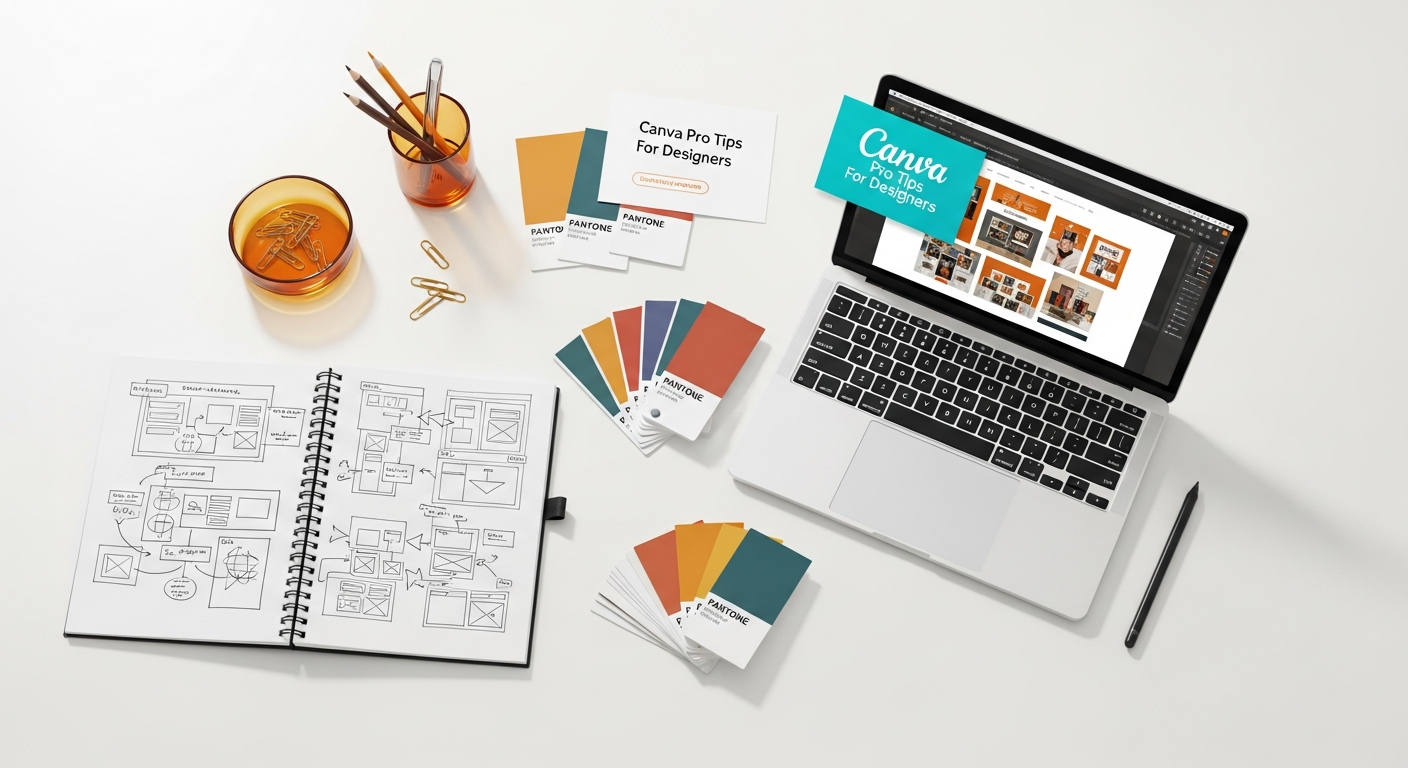
Canva Pro isn’t just about templates and brand kits; it’s a rapidly evolving platform equipped with sophisticated tools that rival dedicated design software for many common tasks. For designers looking to push creative boundaries and streamline complex processes, understanding these advanced features is paramount. From AI-powered enhancements to granular control over visual elements, Canva Pro empowers you to achieve professional-grade results.
Diving Deep into Magic Studio and AI Features
Canva’s Magic Studio represents a significant leap forward, integrating cutting-edge AI capabilities directly into your design workflow. These tools are designed to automate mundane tasks, spark creativity, and enhance design quality with minimal effort.
- Magic Write: While primarily a text generation tool, Magic Write can be invaluable for designers needing quick copy for presentations, social media captions, or even brainstorming taglines for client projects. It can generate ideas, summarize text, or rephrase content, saving you time usually spent on copywriting.
- Magic Edit: This feature allows you to select an area in an image and instruct the AI to replace it with something new. Imagine needing to change a specific decor item in a rendered interior shot or adding a subtle detail to a product image. Magic Edit offers a powerful way to iterate on visual concepts without needing to jump to more complex photo manipulation software.
- Magic Design: Upload an image or provide a prompt, and Magic Design will instantly generate a range of design templates tailored to your input. This is fantastic for overcoming creative blocks or generating diverse layout options for a new project brief. For interior designers, you could upload a mood board image and ask for social media post ideas related to it.
- Magic Resize (Pro Feature): This is a true game-changer for content creators. Instantly resize any design into multiple formats – Instagram story, Facebook cover, Pinterest pin, presentation slide – with a single click. This ensures your content is optimized for every platform without manual adjustments, saving immense time and ensuring consistency across all channels.
- Text to Image (Magic Media): Generate unique images from text descriptions. This is perfect for when you need a specific visual element that isn’t readily available in Canva’s library or your own assets. Describe the scene or object, and Canva’s AI will create it, offering a novel way to produce custom graphics for your designs.
Advanced Photo and Video Editing Capabilities
Canva Pro has significantly beefed up its photo and video editing tools, moving beyond basic filters to offer more granular control, making it suitable for many design tasks that previously required dedicated software.
- Background Remover: A staple for any designer. With one click, remove the background from any image, making it easy to isolate objects, create transparent assets, or compose complex collages. This is perfect for showcasing furniture pieces, decor items, or product shots on clean backgrounds.
- Smart Mockups: Place your designs onto various mockups – t-shirts, phone screens, books, and even interior spaces. For interior designers, this can be invaluable for visualizing custom artwork, wallpaper patterns, or branded elements within a realistic context, helping clients better envision the final product.
- DuoTone and Photo Effects: Experiment with advanced photo effects like DuoTone, Color Mix, and various artistic filters to give your imagery a unique, branded look. These are more sophisticated than simple filters, allowing for greater customization and creative expression.
- Video Editing Suite: Edit short videos directly within Canva Pro. Trim, cut, add transitions, overlay text, and incorporate audio. This is ideal for creating engaging social media reels, short client testimonials, or animated presentations without needing separate video editing software.
- Adjustments Panel: Fine-tune image properties like brightness, contrast, saturation, tint, blur, and even add vignettes. This level of control allows for precise color correction and stylistic adjustments, ensuring your images perfectly match the mood and aesthetic of your design.
Customizing Graphics, Illustrations, and Brand Elements
Beyond stock photos, Canva Pro provides extensive libraries of graphics and illustrations that can be fully customized to fit your specific design needs, offering a vast playground for creative expression.
- Vector Graphics and Elements: Access millions of scalable vector graphics. Unlike raster images, vectors can be resized without losing quality, making them perfect for logos, icons, and illustrations that need to adapt to various sizes. Many of these elements can be recolored to match your brand palette.
- Brand Font Uploads: As mentioned in the Brand Kit section, the ability to upload your own custom fonts is crucial for maintaining a unique brand identity. Ensure you have the proper licenses for any fonts you upload.
- Line and Shape Tools: Don’t underestimate the power of basic lines and shapes. Canva Pro offers advanced controls over stroke weight, dashed lines, corner rounding, and custom path editing for certain elements. These are fundamental for creating custom layouts, infographics, and graphic accents.
- Grids and Frames: Utilize grids to create structured photo collages and frames to easily mask images into various shapes. These are excellent for creating visually appealing layouts that showcase multiple images in a cohesive manner, such as a mood board displaying different material samples.
- Image Cropping and Smart Crop: Precision cropping is essential. Beyond standard cropping, Canva Pro’s Smart Crop can automatically suggest the best crop for an image based on its content, helping you quickly achieve aesthetically pleasing compositions.
Streamlining Collaboration: Canva Pro for Team-Based Design Workflows
Real-time Collaboration and Comments for Agile Feedback
Gone are the days of endless email chains with feedback. Canva Pro brings real-time collaboration that rivals dedicated project management tools for design review.
- Live Editing: Multiple team members can work on the same design simultaneously. You’ll see cursors and edits appear in real-time, just like in a shared document. This is revolutionary for joint brainstorming sessions or when needing quick tweaks from a colleague.
- Contextual Comments: Leave comments directly on specific elements or areas of a design. This allows for precise feedback, eliminating ambiguity. For instance, a client can comment directly on a furniture piece in a rendering asking for a different fabric, or a team member can suggest an alternative font for a headline.
- Notifications and Mentions: Tag team members in comments using the ‘@’ symbol to direct specific feedback or questions to them. This ensures they receive a notification and can address the comment promptly, keeping the project moving forward.
- Resolution of Comments: Once feedback has been addressed, comments can be marked as resolved, providing a clear audit trail of design iterations and approvals.
Folder Organization and Access Control for Secure Project Management
As your team grows and projects multiply, robust organization and granular access control become critical for security and efficiency. Canva Pro provides tools to manage who sees and edits what.
- Team Folders: Create dedicated folders for different clients, projects, or departments. Within these, you can organize designs, uploaded assets, and templates. This ensures everyone knows where to find relevant files and prevents clutter.
- Granular Access Permissions: Assign different levels of access to team members or external collaborators:
- Can Edit: Full editing rights. Ideal for core design team members.
- Can Comment: Can view and leave comments, but cannot make changes. Perfect for client reviews or stakeholders providing feedback.
- Can View: Can only view the design. Suitable for sharing final versions or for a quick look.
This precise control is crucial for protecting sensitive client information and ensuring only authorized personnel can make modifications.
- Brand Control for Team Members: With the Brand Kit, you can restrict certain team members to only use brand-approved fonts and colors, preventing off-brand designs from inadvertently being created. This is a powerful feature for maintaining brand integrity across a larger team.
Approvals, Version History, and Content Planning for Seamless Production
Beyond immediate collaboration, Canva Pro helps manage the entire design lifecycle, from initial concept to final publication.
- Version History: Every change made to a design is recorded. You can easily revert to previous versions, compare iterations, and track the evolution of a design. This is invaluable when a client changes their mind or if a design accidentally gets corrupted, offering peace of mind.
- Approval Workflows (for Enterprise): While not standard in all Pro subscriptions, Canva Enterprise offers more advanced approval workflows, allowing designated approvers to formally sign off on designs before they are published or shared. This formalizes the review process, especially important in regulated industries or large organizations.
- Content Planner: Integrate your design creation with your content strategy. The Content Planner allows you to schedule when your designs will be posted directly to various social media platforms (Facebook, Instagram, LinkedIn, Pinterest, Twitter, Slack, Tumblr) from within Canva. This holistic approach means you can design and schedule all in one place, enhancing overall content management efficiency.
- Shareable Links: Generate view-only or edit-access links that can be shared with anyone, even those without a Canva account. This simplifies sharing designs for review or external collaboration without requiring everyone to sign up.
Elevating Your Visual Storytelling: Niche Applications with Canva Pro
Canva Pro’s versatility extends across a multitude of design applications, empowering designers to create compelling visual narratives regardless of the medium. From dynamic social media campaigns to data-rich infographics and professional print materials, understanding how to leverage Canva Pro for specific niche applications can significantly enhance the impact and reach of your work.
Crafting Engaging Social Media Content That Converts
Social media is a primary channel for designers to showcase their work, attract clients, and build a brand. Canva Pro’s features are perfectly tailored for creating scroll-stopping content.
- Animated Posts and Stories: Go beyond static images. Use Canva Pro’s animation features to add subtle movement to text, elements, or entire pages. Animated posts grab attention more effectively in a crowded feed. Create short, engaging video snippets for Instagram Reels or TikTok.
- Consistent Branding Across Platforms: Utilize your Brand Kit and Magic Resize to ensure your visual identity is consistent, whether you’re designing an Instagram Story, a Facebook banner, or a LinkedIn update. This reinforces brand recognition and professionalism.
- Access to Premium Stock Content: Leverage Canva Pro’s vast library of premium stock photos, videos, and audio tracks. This saves you from hunting for high-quality media elsewhere and ensures you have access to diverse, professional content to complement your designs.
- Scheduled Posting: As mentioned, the Content Planner allows you to design and schedule your social media posts directly from Canva, ensuring a consistent online presence without manual daily uploads.
Designing Impactful Presentations That Win Clients
Presentations are crucial for interior designers, whether pitching a concept, updating a client, or showcasing a portfolio. Canva Pro can transform ordinary slides into captivating visual experiences.
- Professional Templates: Start with a professionally designed presentation template and customize it with your Brand Kit. This provides a strong foundation and ensures visual coherence.
- Dynamic Elements: Incorporate videos, animated graphics, and interactive charts to make your presentations more engaging. Embed mood boards, 3D renderings, and material swatches directly into your slides.
- Speaker Notes: Utilize the speaker notes feature to prepare your talking points for each slide, ensuring a smooth and confident delivery.
- Presentation Mode with Remote Control: Present directly from Canva. If you have a second device, you can use it as a remote control to advance slides, making your delivery more polished and professional.
- Interactive Links: Embed hyperlinks within your presentation to external resources, client websites, or portfolio pages, providing additional context or expanding on specific points.
Mastering Infographic Design Tips and Best Practices for Data Visualization
Infographics are powerful tools for simplifying complex information, making them digestible and visually appealing. For interior designers, infographics can explain design processes, showcase material benefits, or illustrate market trends. To master infographic design tips and best practices with Canva Pro:
- Start with a Clear Story: Before designing, outline the key message and data points you want to convey. An infographic without a clear narrative is just a collection of graphics.
- Choose the Right Template: Canva offers numerous infographic templates. Select one that best fits the type of data you’re presenting (e.g., process, statistical, comparison, timeline).
- Simplify Data: Use icons, charts, and graphs to represent data visually rather than relying on dense text. Canva Pro has an extensive library of customizable icons and chart types.
- Visual Hierarchy: Guide the viewer’s eye through the information using size, color, and placement. Important information should stand out. Use strong headings (from your Brand Kit) and clear subheadings.
- Color Palette and Readability: Stick to your brand colors or a complementary palette. Ensure sufficient contrast between text and background for readability. Avoid using too many different colors, which can be distracting.
- Whitespace is Your Friend: Don’t overcrowd your infographic. Allow ample whitespace around elements to prevent visual fatigue and make the information easier to process.
- Consistent Iconography: If using icons, ensure they belong to the same style family (e.g., flat, line, outlined, filled) for a cohesive look.
- Call to Action: Conclude your infographic with a clear call to action – whether it’s to visit your website, download a report, or contact you for a consultation.
- Magic Resize for Distribution: Once your infographic is complete, use Magic Resize to quickly adapt it for different platforms – a tall version for Pinterest, a shorter one for a blog post, or specific sections for social media carousels.
Print-Ready Designs and Mockups for Tangible Impact
From business cards and brochures to custom wallpaper and large-format signage, print remains a vital part of a designer’s toolkit. Canva Pro offers features to ensure your digital designs translate beautifully into physical form.
- High-Resolution Downloads: Download your designs in high-resolution PDF Print format. This is crucial for professional printing, ensuring crisp text and sharp images.
- Bleed and Crop Marks: When downloading for print, Canva Pro allows you to include crop marks and bleed. Understanding bleed is essential – it’s the extra margin around your design that gets trimmed off, preventing white edges if there’s slight misalignment during cutting.
- CMYK Color Mode: While Canva primarily designs in RGB, it offers a CMYK download option for print PDFs. It’s important to understand that RGB colors (screen colors) may appear slightly different when converted to CMYK (print colors). For highly color-sensitive projects, always do a test print.
- Smart Mockups: Visualize your designs in a real-world context using Smart Mockups. See how your logo looks on a business card, or how a custom pattern appears on a pillow or a wall. This helps in presenting concepts to clients and making informed design decisions before going to print.
- Canva Print Service: For convenient, integrated printing, Canva offers its own print service for various products like business cards, invitations, and flyers, directly from your design.
Integrating Canva Pro into a Holistic Design Strategy: UX and Evaluation
While often seen as a tool for graphic output, Canva Pro can play a surprisingly integral role in a broader, more strategic design process. For designers focused on creating meaningful experiences, integrating principles of User Experience (UX) and systematic evaluation into your Canva workflow can elevate your designs from merely aesthetic to truly effective and user-centric.
Understanding What Is UX Design and Why It Matters in Your Canva Workflow
User Experience (UX) design is about creating products and experiences that are useful, usable, and desirable. It encompasses all aspects of the end-user’s interaction with a company, its services, and its products. For interior designers, UX principles extend beyond digital interfaces to the physical spaces you create, but also apply to how clients interact with your proposals, presentations, and digital communications.
- Client-Centric Design: When creating a presentation or a mood board in Canva, consider your client as the “user.” What information do they need? How can you present it clearly and engagingly? What emotions do you want to evoke? A well-designed Canva presentation, informed by UX principles, ensures your client understands your vision, feels confident in your expertise, and has a positive experience engaging with your materials.
- Information Architecture in Presentations: Just like a website, a presentation needs a logical flow. Use Canva to structure your content effectively. Start with an agenda, group related information, and guide the client through the design journey. This relates directly to UX principles of information architecture and navigation.
- Visual Hierarchy and Readability: UX emphasizes clarity and ease of use. In Canva, this translates to using appropriate font sizes, strong contrast, and clear visual hierarchy in your designs. Ensure headlines, body text, and calls to action are distinct and easy to read, preventing cognitive overload for your audience.
- Accessibility Considerations: While Canva doesn’t have built-in accessibility checkers like some web design tools, you can still apply principles. Use sufficiently large text, ensure good color contrast (Canva’s color picker helps with this), and use clear, concise language. Consider how someone with visual impairments might perceive your design.
- Prototyping and Iteration: Canva can be used to quickly mock up visual ideas for web pages, app screens, or interactive kiosks within a designed space. While not a full prototyping tool, you can create linked pages to simulate user flows, allowing for rapid iteration and feedback before committing to more complex development. This brings the “test and iterate” aspect of UX design into your Canva workflow.
Applying Heuristic Evaluation Principles to Canva Designs
Heuristic evaluation is a usability inspection method for computer software that helps to identify usability problems in the user interface design. While traditionally applied to software, its core principles – known as Jakob Nielsen’s 10 Usability Heuristics – can be adapted to evaluate the effectiveness of any visual communication, including your Canva designs, before they go live or are presented to a client. How to conduct a heuristic evaluation with your Canva designs:
- Visibility of System Status: Does your design clearly communicate what it’s about? Is the purpose of each page in a presentation clear? Are there indicators of progress if it’s a multi-page document?
- Match Between System and the Real World: Does the language and imagery used in your Canva design resonate with your target audience? For interior design, are you using industry-appropriate terminology and visuals that clients understand and relate to?
- User Control and Freedom: If your Canva design is interactive (e.g., a clickable PDF or presentation), does the user feel in control? Can they easily navigate back and forth?
- Consistency and Standards: This is where Canva’s Brand Kit shines. Are fonts, colors, and layout consistent across all slides or pages? Are icons used consistently? This builds familiarity and reduces cognitive load.
- Error Prevention: While Canva designs don’t typically have “errors” in the software sense, consider if your design prevents misinterpretation. Is your call to action clear? Is there any ambiguity in the information presented?
- Recognition Rather Than Recall: Does your design use familiar icons, visual cues, and layout patterns that users can easily recognize rather than having to remember specific instructions?
- Flexibility and Efficiency of Use: Are there shortcuts or elements that make the design efficient for frequent users (e.g., a clear table of contents, quick links in a long document)? For you, the designer, Canva Pro’s templates and Brand Kit are key to efficiency.
- Aesthetic and Minimalist Design: Does your Canva design prioritize essential information? Is there unnecessary clutter? A clean, uncluttered design is often more effective and professional.
- Help Users Recognize, Diagnose, and Recover from Errors: If a client misunderstands something in your presentation, is the design clear enough to help them self-correct or easily ask for clarification?
- Help and Documentation: While not part of the design itself, consider if your Canva-created materials implicitly provide enough information. Is your contact info clear? Do you provide context for complex ideas?
By consciously applying these heuristics, you can critically review your Canva creations, identifying areas where clarity, usability, and effectiveness can be enhanced, ultimately leading to more impactful and successful design outcomes.
Prototyping and User Flow Visualization with Canva
While not a dedicated UX prototyping tool, Canva Pro offers surprising capabilities for visualizing user flows and creating low-fidelity prototypes for various applications, especially for designers who are integrating digital touchpoints into physical spaces or client interactions.
- Clickable Presentations for User Flows: Create multi-page designs in Canva that represent different screens or states of an interface (e.g., a smart home control panel, an interactive display in a retail space, or even pages of a client portal). By adding links between elements on one page to other pages in your design, you can create a basic clickable prototype. This allows stakeholders to experience a simulated user journey.
- Wireframing with Shapes and Elements: Use Canva’s vast library of shapes, lines, and basic elements to create simple wireframes for websites, apps, or digital interfaces. These low-fidelity mockups focus on layout and functionality before diving into visual design, allowing for early feedback on information hierarchy and interaction patterns.
- Storyboarding Client Journeys: Visualize the entire client journey, from initial contact to project completion and beyond. Use Canva to create storyboards that illustrate each touchpoint, showing how your designs, communications, and services guide the client experience. This helps identify pain points and opportunities for improvement in the overall service design.
- User Interface (UI) Mockups for Digital Integrations: For interior designers working on projects that include integrated technology (e.g., smart office solutions, interactive displays in hospitality), Canva can be used to mock up the UI of these digital components. This helps in communicating the visual design and basic functionality to clients and developers.
Maximizing Productivity and Efficiency: Pro Features for the Busy Designer
In the fast-paced design industry, time is money. Canva Pro is packed with features designed to shave minutes off every task, allowing designers to focus more on creative problem-solving and less on repetitive, manual adjustments. Mastering these efficiency hacks can dramatically increase your output and profitability, especially for high-volume content creation or tight deadlines.
Keyboard Shortcuts and Power-User Tricks for Lightning Speed
Like any professional software, learning keyboard shortcuts can transform your workflow from cumbersome to fluid.
- Common Shortcuts: Familiarize yourself with universal shortcuts like Ctrl/Cmd + C (copy), Ctrl/Cmd + V (paste), Ctrl/Cmd + Z (undo), Ctrl/Cmd + S (save, though Canva auto-saves).
- Canva-Specific Shortcuts:
T: Add a text box.R: Add a rectangle.C: Add a circle.L: Add a line./or?: Open the magic shortcut search bar to quickly find elements, apps, or specific tools.Ctrl/Cmd + [orCtrl/Cmd + ]: Bring an element backward or forward one layer.Ctrl/Cmd + Shift + [orCtrl/Cmd + Shift + ]: Send an element to the very back or very front.Shift + Click: Select multiple elements for group editing.Ctrl/Cmd + G: Group selected elements.Ctrl/Cmd + Shift + G: Ungroup elements.
- Nudging Elements: Use the arrow keys to nudge selected elements pixel by pixel for precise positioning. Hold
Shiftwhile using arrow keys to nudge elements by a larger increment. - Copying Styles: Use the paint roller icon (Copy Style) to quickly copy the formatting (font, color, effects) from one text box or element and apply it to another. This is a huge time-saver for maintaining consistency.
Batch Editing and Smart Resize for Unrivaled Agility
These features are essential for designers who need to repurpose content across multiple platforms or make sweeping changes efficiently.
- Magic Resize (Pro Feature): This is arguably one of Canva Pro’s most powerful productivity tools. Design once, then instantly resize your creation into any standard or custom dimension with a single click. Need an Instagram post, a Facebook cover, and a Pinterest pin from the same core design? Magic Resize handles it, intelligently adjusting elements to fit new canvases. Always review the resized versions for minor adjustments, but it provides a phenomenal starting point.
- Applying
Recommended Resources
For more on canva pro tips, see How To Write A Business Plan For A Startup on Eamped.
Related reading: How To Communicate Effectively In Remote Teams (Bookmark Sharer).