The Foundational Role of Color Theory in UI Design
Color theory, at its heart, is a body of practical guidance to the mixing of colors and the visual effects of a specific color combination. Originating in the realms of art and traditional design, its principles have seamlessly transitioned into the digital sphere, becoming an indispensable part of modern UI design. In a digital interface, color serves multiple critical functions: it establishes brand identity, guides user attention, communicates status, evokes emotion, and ultimately, dictates the overall feel and usability of a product.
Imagine navigating a website where every button is the same shade of gray, or an application where error messages blend indistinguishably with success notifications. Such scenarios underscore the profound importance of color. It’s not just about making things look pretty; it’s about creating a clear, intuitive, and efficient pathway for the user. When properly applied, color theory helps designers:
- Establish Visual Hierarchy: Directing the user’s eye to the most important elements.
- Communicate Meaning: Conveying information rapidly without relying solely on text.
- Enhance Accessibility: Ensuring the interface is usable by individuals with varying visual abilities.
- Evoke Emotion: Creating a specific mood or feeling that resonates with the brand and target audience.
- Reinforce Brand Identity: Making a product instantly recognizable and memorable.
In essence, color theory in UI design is the framework that allows designers to move beyond arbitrary choices to make strategic decisions that profoundly impact user interaction and satisfaction. It’s about harnessing the psychological and physiological responses to color to craft interfaces that are not only beautiful but also highly functional and effective.
Understanding the Core Principles of Color Theory for UI
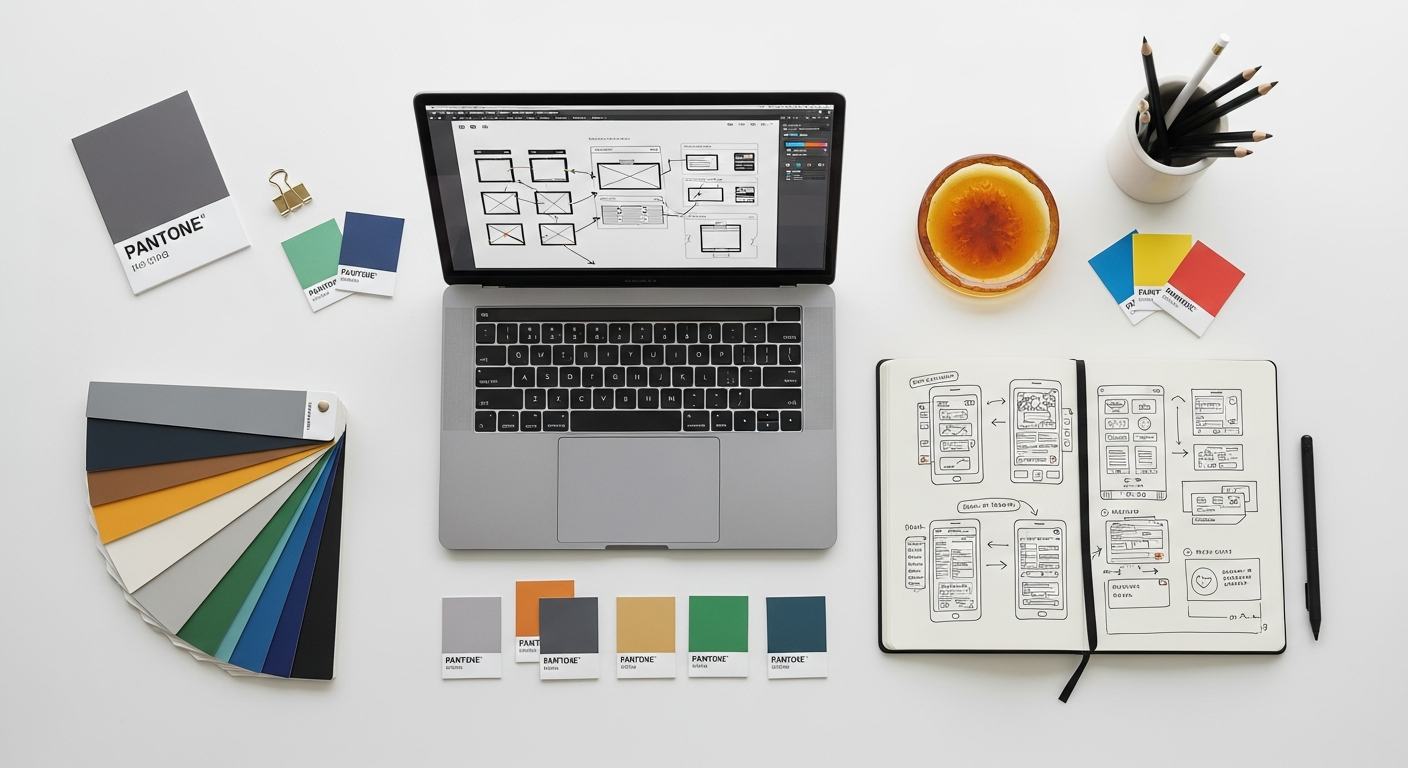

To effectively wield color in UI design, one must first grasp the fundamental principles of color theory. These foundational concepts provide the language and structure necessary to build harmonious and purposeful color palettes.
The Color Wheel and Color Harmonies
The color wheel is an iconic tool that organizes colors based on their spectral relationships, typically showing primary, secondary, and tertiary colors. Understanding how colors relate on this wheel is crucial for creating harmonious palettes:
- Monochromatic: Uses variations in lightness and saturation of a single color. This creates a clean, sophisticated, and cohesive look, often used for minimalist UI designs where subtle differentiation is key. For example, a UI might use various shades of blue to denote different levels of interaction or information, ensuring visual unity.
- Analogous: Combines colors that are adjacent to each other on the color wheel (e.g., blue, blue-green, green). These palettes are often found in nature and are inherently pleasing and serene. They are excellent for creating a sense of unity and often serve as a strong base for primary colors in a UI, providing a gentle flow between elements.
- Complementary: Pairs colors directly opposite each other on the color wheel (e.g., red and green, blue and orange). These combinations offer high contrast and vibrancy, making them ideal for drawing attention to specific elements like call-to-action buttons or alerts. However, they must be used judiciously to avoid visual fatigue; often one color dominates while the other serves as an accent.
- Triadic: Utilizes three colors evenly spaced around the color wheel (e.g., red, yellow, blue). Triadic schemes are vibrant and balanced, offering more visual interest than complementary schemes but requiring careful balancing to ensure one color remains dominant. They are excellent for playful or dynamic interfaces.
- Tetradic (Double Complementary): Involves two pairs of complementary colors, forming a rectangle on the color wheel. This scheme is rich and complex, offering great variety but also the most challenging to balance. It’s best used when a wide range of distinct colors is needed, perhaps for complex data visualizations or multi-faceted dashboards.
By understanding these harmonies, designers can intentionally choose color combinations that evoke specific feelings and guide user behavior, ensuring that the UI remains aesthetically pleasing and functionally effective.
Hue, Saturation, and Brightness (Value)
These three properties are the fundamental dimensions of color, allowing designers to precisely manipulate individual colors within a palette:
- Hue: This is what we typically think of as the “color” itself – red, blue, green, etc. It defines the pure spectral color. In UI, changing hue can dramatically alter the emotional impact and brand association.
- Saturation: Also known as chroma, saturation refers to the intensity or purity of a color. A highly saturated color is vivid and strong, while a desaturated color appears muted, grayish, or pastel. High saturation can draw attention, while lower saturation can create a sense of calm or sophistication, often used for background elements or secondary information.
- Brightness (Value/Luminosity): This refers to how light or dark a color appears. Brightness is crucial for establishing contrast, ensuring readability, and creating visual hierarchy. A light background with dark text, or vice-versa, relies heavily on brightness differences. Varying brightness within a single hue (monochromatic) can create depth and subtle distinctions in UI elements.
Mastering the interplay of hue, saturation, and brightness empowers designers to create rich, nuanced, and adaptable color systems for their UIs.
Color Psychology in Digital Interfaces
Colors carry profound psychological associations that can significantly influence user perception and behavior. While cultural differences exist, many associations are universal:
- Red: Often associated with urgency, passion, energy, and danger. In UI, it’s commonly used for warning messages, error states, delete buttons, or primary call-to-actions that demand immediate attention.
- Blue: Conveys trust, stability, calm, professionalism, and reliability. It’s a popular choice for corporate UIs, social media platforms, and technology brands. It often signifies links, information, or success, but in a softer, more reassuring way than green.
- Green: Symbolizes nature, growth, freshness, health, and success. In UI, green is almost universally used for success messages, “go” buttons, positive indicators, and confirmation states.
- Yellow: Evokes optimism, cheerfulness, warmth, and caution. It can be used for warnings, highlights, or to add a cheerful accent. Overuse can be visually fatiguing.
- Orange: Combines the energy of red with the cheerfulness of yellow, suggesting enthusiasm, creativity, and friendliness. It’s often used for call-to-action buttons, notifications, or to highlight secondary information.
- Purple: Associated with luxury, creativity, wisdom, and spirituality. Its use in UI often denotes premium features, uniqueness, or artistic flair.
- Black: Represents sophistication, power, elegance, and formality. Often used for text, backgrounds in dark modes, or to denote premium status.
- White: Symbolizes purity, simplicity, cleanliness, and minimalism. It’s a dominant color for backgrounds, providing space and clarity, and promoting readability.
- Gray: Implies neutrality, balance, and professionalism. Used for secondary text, disabled states, borders, and backgrounds when a softer contrast is desired.
Understanding these psychological impacts allows designers to choose colors that align with the brand’s message and the desired user experience, ensuring that the interface communicates effectively on an emotional level.
Crafting an Effective Color Palette for Your UI
Primary, Secondary, and Accent Colors
A well-structured UI color palette typically consists of several categories of colors:
- Primary Colors: These are the dominant colors that define your brand identity. They are used most frequently throughout the interface, often for branding elements, main navigation, and prominent interactive components. A primary color should be distinctive and reflect the core personality of the product.
- Secondary Colors: These colors complement the primary palette and are used for less prominent elements, such as secondary buttons, subheadings, or background sections that need differentiation from the primary content area. They add depth and variety without overwhelming the primary brand identity.
- Accent Colors: These are vivid, contrasting colors used sparingly to draw attention to critical elements or actions. Think call-to-action buttons, important notifications, or interactive states. An accent color should stand out significantly from the primary and secondary palettes to fulfill its purpose of highlighting.
By clearly defining these categories, designers can maintain consistency and ensure that every color choice serves a specific purpose within the UI, contributing to a coherent visual language.
The 60-30-10 Rule in UI Design
Borrowed from interior design, the 60-30-10 rule provides an excellent guideline for distributing colors within a UI to achieve balance and visual appeal:
- 60% Dominant Color: This is typically your primary brand color or a neutral background color. It sets the overall tone and provides a foundation for the interface.
- 30% Secondary Color: This color supports the dominant color, adding visual interest and definition without competing. It might be used for secondary content blocks, sub-navigation, or less critical interactive elements.
- 10% Accent Color: This small percentage is reserved for the most important elements that need to pop, such as call-to-action buttons, error messages, or key highlights. Its limited use ensures maximum impact.
While not a strict mandate, the 60-30-10 rule offers a fantastic starting point for creating harmonious and aesthetically pleasing color distribution in any UI design.
Accessibility and Contrast Ratios
Accessibility is not an afterthought; it’s a fundamental principle of good UI design. Color choices have a profound impact on accessibility, particularly for users with visual impairments or color blindness. The Web Content Accessibility Guidelines (WCAG) provide specific recommendations for contrast ratios:
- AA Level: Requires a contrast ratio of at least 4.5:1 for regular text and 3:1 for large text (18pt or 14pt bold).
- AAA Level: Requires an even higher contrast ratio of 7:1 for regular text and 4.5:1 for large text.
These ratios ensure that text is readable against its background for a wide range of users. Tools like WebAIM Contrast Checker or Adobe Color’s accessibility features can help designers test their color combinations against WCAG standards. Neglecting contrast can render an interface unusable for a significant portion of the population, undermining all other design efforts. Prioritizing accessibility means making deliberate color choices that benefit everyone.
Branding and Emotional Connection
The chosen color palette is intrinsically linked to a brand’s identity and the emotional connection it seeks to forge with its users. Colors evoke specific feelings and associations, and these must align with the brand’s values and message. For instance, a financial institution might lean heavily on blues and grays to convey trust and security, while a children’s educational app might opt for bright, vibrant, and playful colors. Consistency in color usage across all brand touchpoints – from the UI to marketing materials and even social media graphics design – reinforces brand recognition and builds a cohesive emotional experience for the user. A well-chosen color palette is a cornerstone of effective branding, helping to communicate personality and purpose at a glance.
Implementing Color Theory for Enhanced User Experience (UX)
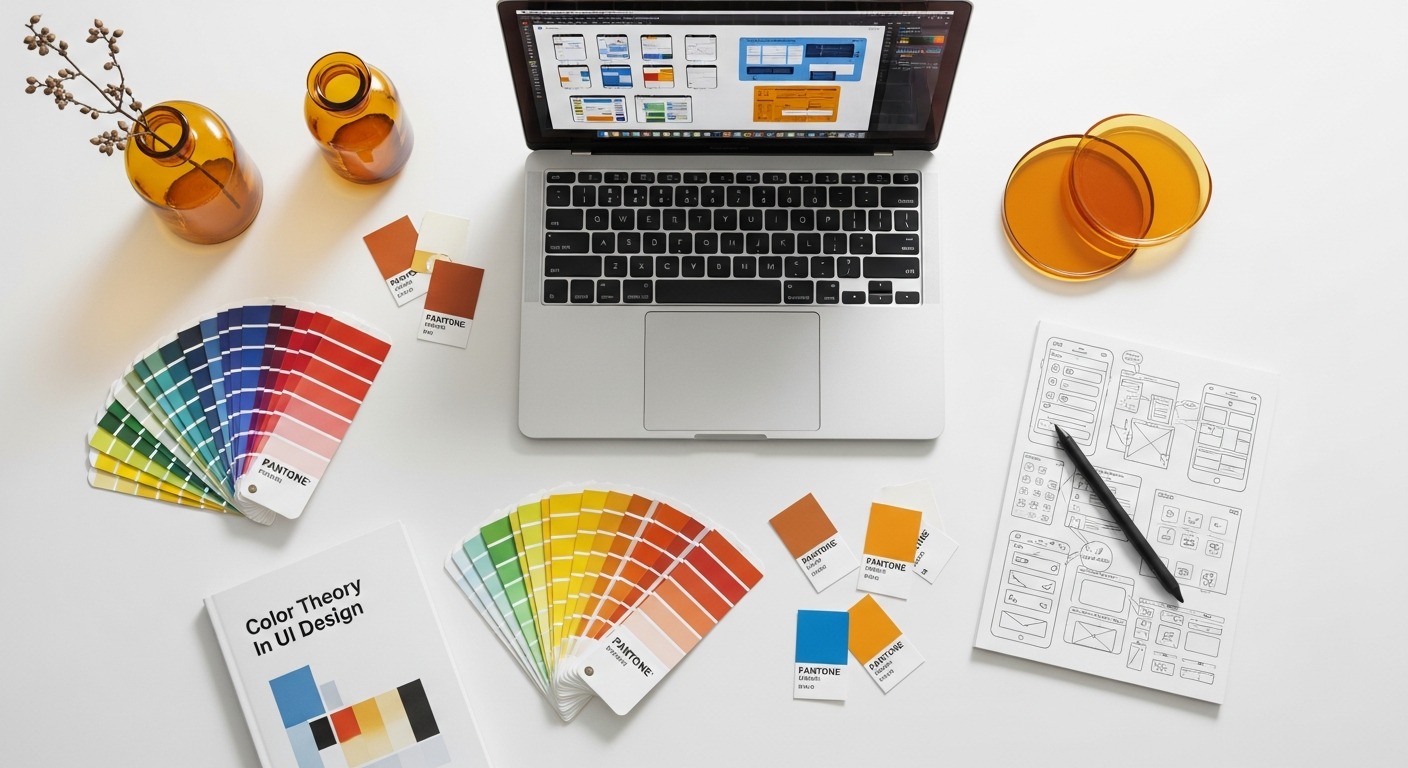
The ultimate goal of applying color theory in UI design is to enhance the user experience (UX). Color is a powerful lever for improving usability, guiding interactions, and making interfaces more intuitive and enjoyable.
Guiding User Attention and Actions
Color is unparalleled in its ability to draw the eye and direct user focus. Strategic use of color can highlight critical information and prompt desired actions:
- Call-to-Action (CTA) Buttons: These are often rendered in a vibrant accent color that stands out from the rest of the interface, making them immediately identifiable and clickable. The goal is to minimize friction and guide the user toward conversion.
- Interactive States: Colors are used to provide immediate feedback on user interactions. A button might change color on hover (e.g., lighten or darken), on press (e.g., a subtle glow or shift), or when disabled (e.g., grayed out). This instant visual feedback reassures the user that their action has been registered.
- Error Messages and Warnings: Red is the universal color for errors and warnings, instantly signaling that something requires attention or correction. Yellow often indicates a less severe warning or a pending action.
- Success Notifications: Green is typically used to confirm successful actions, providing a sense of accomplishment and reassurance.
By using a consistent color language for these elements, designers can train users to instinctively understand the meaning behind different colored components, speeding up interaction and reducing cognitive load.
Creating Visual Hierarchy and Structure
Color is a primary tool for establishing visual hierarchy, helping users quickly understand the organization and relative importance of information. This ties directly into the principles of Information Architecture Explained, where the structure and organization of content are paramount. Just as information architecture provides a logical framework, color provides a visual one:
- Primary vs. Secondary Content: More prominent colors or higher contrast are used for primary content, while lighter shades or lower contrast colors are used for secondary information, footnotes, or less critical details.
- Headings vs. Body Text: Different colors (often darker for headings, lighter for body text) or variations in brightness can differentiate text levels, making content scannable.
- Grouping Related Elements: Using similar colors or shades for elements that belong together (e.g., all items within a form section, or all components of a particular module) helps users perceive them as a unified group. This reduces visual clutter and improves comprehension.
- Separating Distinct Sections: Employing different background colors for distinct sections of a page or app helps users understand when they are moving between different functional areas.
A well-defined color hierarchy ensures that users can effortlessly navigate and comprehend complex interfaces, finding the information they need without unnecessary effort.
Consistency Across the User Journey
Consistency is a cornerstone of good UX design, and color plays a vital role in achieving it. As outlined in What Is UX Design And Why It Matters, a consistent experience builds trust and familiarity. When a specific color is used for a particular purpose, users learn to associate that color with that function across the entire application or website. For example:
- If blue is consistently used for clickable links, users will instinctively know that any blue text is interactive.
- If red consistently signifies an error, users will immediately understand the gravity of a red notification.
- If your primary brand color is used for active navigation states, users will always know where they are within the product.
Inconsistent color usage, conversely, can lead to confusion, frustration, and a diminished user experience. Maintaining a consistent color language across all screens and interactions makes the interface predictable and reduces the cognitive load on the user.
Feedback and Status Indicators
Instantaneous visual feedback is crucial for a smooth user experience. Color is the most direct way to provide this feedback:
- Loading States: Subtle animations with brand colors can indicate that content is loading without being intrusive.
- Progress Bars: Often filled with primary or accent colors, progress bars visually inform users about the completion status of a task.
- Validation Feedback: Green checkmarks or borders for valid input, red for errors, and yellow for warnings in forms.
- Availability Indicators: Green dots for online, red for offline, or gray for busy statuses are common conventions.
These small but significant color cues help users understand the system’s status and their interaction’s outcome, reducing uncertainty and improving overall usability.
Advanced Considerations and Future Trends in UI Color
As technology evolves and user expectations shift, so too do the considerations for color in UI design. Staying ahead means embracing new paradigms and anticipating future trends.
Dark Mode and Light Mode Palettes
The rise of dark mode has added a new layer of complexity to UI color design. Designers must now create two distinct, yet cohesive, color palettes – one for light mode and one for dark mode. This isn’t simply an inversion of colors; a good dark mode palette requires careful consideration to maintain readability, reduce eye strain, and preserve brand identity:
- Semantic Colors: Instead of hardcoding specific color values, designers often define “semantic” colors (e.g.,
primary-text-color,background-color-default,error-message-color). These semantic colors then map to different hex values for light and dark modes. - Reduced Saturation: Highly saturated colors can appear overly vibrant and jarring in dark mode. Often, colors are slightly desaturated in dark mode to prevent glow effects and improve readability.
- Layering and Elevation: In dark mode, lighter shades of gray are often used to indicate elevation and create visual hierarchy, rather than shadows which are less effective on dark backgrounds.
Designing for both modes ensures adaptability and caters to user preferences, offering a more personalized and comfortable viewing experience.
Gradient Usage and Subtle Textures
While flat design dominated for a period, there’s a resurgence of gradients and subtle textures to add depth, richness, and visual interest to UIs. Gradients, when used thoughtfully, can:
- Create Visual Depth: Mimicking light sources to give elements a more three-dimensional feel.
- Enhance Brand Personality: Unique gradient combinations can become a distinctive part of a brand’s visual identity.
- Guide the Eye: Gradients can subtly direct attention across an element or page.
- Add a Modern Touch: Smooth, well-executed gradients can make an interface feel contemporary and premium.
Subtle textures, often achieved with very fine noise or patterns, can add tactile quality and sophistication without sacrificing clarity or performance. The key is subtlety; gradients and textures should enhance, not distract from, the content and functionality.
Personalization and Dynamic Color Schemes
Looking ahead to 2026 and beyond, personalization will continue to be a dominant trend in UI design. This extends to color schemes, where users might have more control over their interface’s appearance:
- User-Configurable Themes: Beyond light and dark modes, users might select from a wider range of predefined themes or even customize accent colors.
- Adaptive Interfaces: UIs that dynamically adjust their color palettes based on context, time of day, or even user mood (via AI/ML) could become more common. For example, a productivity app might shift to more calming blues in the evening.
- Data-Driven Color: For complex dashboards or analytics tools, colors might dynamically change based on the data being displayed, highlighting trends or anomalies in real-time.
These advancements promise UIs that are not only functional but also deeply personalized and responsive to individual needs and preferences.
The Role of Color in Social Media Graphics
The principles of color theory in UI design are not confined to applications and websites; they extend seamlessly into the broader digital ecosystem, including social media graphics design. Just as a UI needs to capture attention and communicate effectively, so too do social media posts. The same considerations for brand consistency, psychological impact, and visual hierarchy apply:
- Brand Recognition: Consistent use of brand colors in social media graphics instantly identifies content with your brand, reinforcing your digital identity.
- Call to Action: Using an accent color for text overlays or buttons in a social media ad can dramatically increase engagement and click-through rates.
- Emotional Connection: The colors chosen for an Instagram post can evoke specific emotions, whether it’s the calming blues for a wellness brand or the vibrant yellows for a travel agency.
- Readability and Accessibility: Ensuring sufficient contrast between text and background in social media images is just as crucial as in a web interface to ensure the message is accessible to all followers.
Understanding color theory provides a cohesive design language that bridges the gap between your core digital product and its outward-facing marketing and communication efforts, ensuring a unified and impactful brand presence across all platforms.
Tools and Resources for UI Color Design
Fortunately, designers today have a wealth of tools and resources at their disposal to aid in the creation and implementation of effective UI color palettes:
- Palette Generators:
- Adobe Color: An incredibly robust tool for creating color harmonies, exploring trends, and checking accessibility.
- Coolors.co: A fast and intuitive generator for creating random or customized palettes, allowing for locking colors and exploring variations.
- Paletton: Offers advanced controls for creating monochromatic, analogous, complementary, and triadic schemes with fine-tuned adjustments.
- Contrast Checkers:
- WebAIM Contrast Checker: Essential for ensuring WCAG compliance for text and background color combinations.
- Stark (Figma/Sketch/Adobe XD Plugin): Provides real-time contrast checking and colorblind simulation directly within design tools.
- Color Pickers/Inspectors:
- ColorZilla (Browser Extension): Allows designers to pick colors from any webpage and inspect their properties.
- Digital Color Meter (macOS) / Windows built-in tools: For picking colors from any pixel on your screen.
- Inspiration and Trend Exploration:
- Dribbble & Behance: Platforms to see how other designers are using color in UI.
- Material Design Color Tool: Google’s comprehensive tool for creating and applying color palettes based on Material Design principles.
- Tailwind CSS Colors: A fantastic resource for ready-to-use, well-curated color scales.
- Design System Tools:
- Figma, Sketch, Adobe XD: Modern design tools with robust features for creating and managing color styles, variables, and design tokens, ensuring consistent application across large projects.
Leveraging these tools can streamline the color design process, ensuring accuracy, accessibility, and creativity in every UI project.
Frequently Asked Questions About Color Theory in UI Design
What is the primary goal of using color theory in UI design?
The primary goal of using color theory in UI design is to create an intuitive, aesthetically pleasing, and highly functional interface that guides users, communicates effectively, and reinforces brand identity. It moves beyond subjective aesthetic choices to make strategic decisions that enhance usability, accessibility, and emotional connection, ultimately leading to a superior user experience.
How does color theory improve UX accessibility?
Color theory improves UX accessibility primarily by focusing on contrast ratios and ensuring sufficient differentiation between interactive elements and text from their backgrounds. Adhering to standards like WCAG (Web Content Accessibility Guidelines) ensures that users with visual impairments, including various forms of color blindness, can perceive and understand all information and interactive elements within the UI. Tools like contrast checkers are invaluable for this purpose.
Can color choices impact user conversion rates?
Absolutely. Strategic color choices, particularly for call-to-action (CTA) buttons, error messages, and success confirmations, can significantly impact user conversion rates. A well-chosen accent color for a CTA can draw the user’s eye and encourage clicks, while clear, universally understood colors for feedback messages reduce user frustration and build trust, encouraging completion of tasks like purchases or sign-ups.
What is the 60-30-10 rule and how does it apply to UI design?
The 60-30-10 rule is a guideline for distributing colors in a design to achieve balance and visual harmony. In UI design, it suggests that 60% of the interface should use a dominant color (often a background or primary brand color), 30% should use a secondary color (for supporting elements, subheadings), and 10% should use an accent color (for critical elements like CTAs or warnings). This distribution helps create a clear visual hierarchy and prevents the interface from looking cluttered or overwhelming.
How do I choose colors that represent my brand in UI?
Choosing brand colors involves understanding your brand’s core values, target audience, and desired emotional impact. Research the psychological associations of different colors and how they align with your brand’s personality (e.g., blue for trust, green for growth, red for passion). Consider your competitors’ palettes to find differentiation and ensure consistency across all brand touchpoints, from your UI to your social media graphics design, to build strong brand recognition and an emotional connection with users.
What are some common mistakes to avoid when using color in UI design?
Common mistakes include:
- Lack of Contrast: Ignoring accessibility guidelines, making text unreadable.
- Overuse of Bright Colors: Leading to visual fatigue and a cluttered interface.
- Inconsistent Use: Applying colors arbitrarily, confusing users about the function of elements.
- Ignoring Color Psychology: Using colors that contradict the intended message or brand emotion.
- Not Testing for Color Blindness: Failing to ensure the UI is usable for individuals with color vision deficiencies.
- Too Many Colors: Overcomplicating the palette, making the design look unprofessional and distracting.
Recommended Resources
You might also enjoy Artificial Intelligence Explained For Beginners from Bookmark Sharer.
Related reading: Benefits Of Automation Software For Small Businesses (Eamped).