The Evolving UX Design Landscape in 2026: Why Tool Choice Matters More Than Ever
Adobe XD Status in 2026: What You Need to Know
| Timeline Event | Details |
|---|---|
| January 2023 | Adobe announces XD will no longer receive new feature development. Existing features maintained. |
| March 2024 | Adobe begins end-of-life transition. Users encouraged to migrate to Figma (Adobe acquired Figma for $20B; deal terminated Dec 2023 due to EU/UK regulatory blocks). |
| 2024–2025 | Adobe XD accessible but no new features or major bug fixes. Creative Cloud subscribers retain access. |
| 2026 Recommendation | New projects should use Figma. Existing XD projects can continue, but export/migration to Figma strongly recommended for long-term file access and collaboration. |
Bottom line: This comparison is still relevant because many teams have legacy XD files and workflows, and the UX tool evaluation framework applies to all alternatives. However, for new projects in 2026, Figma is the industry-standard recommendation.
The year 2026 finds the field of User Experience (UX) design not just thriving, but fundamentally integrated into every facet of digital product development. Gone are the days when UX was an afterthought; today, it is the cornerstone of successful products, driving user satisfaction, retention, and ultimately, business growth. Understanding What Is UX Design And Why It Matters has never been more critical. It’s the meticulous process of enhancing user satisfaction by improving the usability, accessibility, and pleasure provided in the interaction between the user and a product.
In this high-stakes environment, the tools designers employ are no longer mere utilities; they are strategic partners. They dictate the speed of iteration, the fluidity of collaboration, and the fidelity of prototypes. As design thinking permeates more industries, from smart home systems to augmented reality interfaces, the demand for sophisticated, efficient, and integrated design tools intensifies. The choice between platforms like Figma and Adobe XD isn’t just about personal preference; it’s about optimizing workflows, facilitating seamless team communication, and ensuring that design outcomes are robust, user-centric, and scalable.
The landscape of 2026 is characterized by several key trends: an increasing reliance on cloud-based collaboration, the maturation of design systems, the burgeoning role of AI in design automation, and an unyielding focus on accessibility and inclusive design. A tool’s ability to support these trends directly impacts a team’s efficiency and ability to deliver impactful experiences. Therefore, our deep dive into Figma and Adobe XD for 2026 will not only scrutinize their current features but also project their trajectory in supporting the future of UX design.
Figma: The Collaborative Powerhouse Defining Design in 2026
Since its inception, Figma has rapidly ascended to become a dominant force in the UI/UX design space, largely owing to its innovative cloud-first architecture and unparalleled collaborative capabilities. As we navigate 2026, Figma continues to solidify its position as a go-to tool for teams of all sizes, from agile startups to large enterprises, revolutionizing how designers work together in real-time.
Core Features & Strengths
- Web-Based Accessibility: Figma operates entirely in the browser, making it incredibly accessible. Users can design from any operating system (Windows, macOS, Linux, Chrome OS) without needing powerful local hardware, only a stable internet connection. This accessibility significantly lowers the barrier to entry and simplifies team onboarding.
- Vector Editing Prowess: At its heart, Figma offers robust vector editing tools that rival traditional design software. Designers can create intricate shapes, icons, and illustrations with precision, ensuring scalability and crispness across various screen sizes and resolutions.
- Auto Layout 3.0 (and beyond): By 2026, Figma’s Auto Layout feature has become even more sophisticated, enabling designers to create responsive designs that adapt dynamically to content changes. This is invaluable for building flexible components and entire design systems that automatically adjust padding, spacing, and arrangement, significantly speeding up the design process.
- Component-Driven Design: Figma excels in promoting a component-based workflow. Designers can create reusable components, manage their variants, and effortlessly update them across entire projects. This fosters consistency, reduces design debt, and streamlines design system management.
- Prototyping & Animation: Figma’s prototyping tools are intuitive yet powerful. Designers can create interactive flows, simulate user journeys with a variety of transitions and animations, and test usability directly within the browser. While perhaps not as granular as dedicated animation software, it provides ample functionality for most UI/UX prototyping needs.
Collaborative Prowess
Figma’s real-time collaboration features are legendary and remain a core differentiator in 2026. Multiple users can work on the same design file simultaneously, observing each other’s cursors, edits, and comments live. This fosters an incredibly efficient and transparent workflow:
- Shared Design Canvas: The ability for an entire team – designers, developers, product managers, and stakeholders – to view and interact with the same design file eliminates version control issues and ensures everyone is working from the latest iteration.
- Comments & Feedback: Integrated commenting tools allow for precise, contextual feedback directly on the canvas, streamlining the review process and reducing reliance on external communication channels.
- Version History: Figma automatically saves versions of files, allowing teams to revisit previous states, compare changes, and restore older versions with ease, providing a robust safety net for iterative design.
- Developer Handoff: Inspect mode provides developers with all necessary CSS, iOS, and Android code snippets, asset exports, and design specifications, significantly smoothing the transition from design to development.
Plugin Ecosystem
Figma boasts a vibrant and ever-expanding plugin ecosystem. By 2026, this community-driven marketplace offers thousands of plugins that extend Figma’s native functionality, ranging from content generation and accessibility checkers to advanced data visualization tools. These plugins allow designers to customize their workflow, automate repetitive tasks, and integrate with external services, making Figma an incredibly versatile platform adaptable to almost any design challenge.
Learning Curve & Accessibility
While powerful, Figma’s user interface is generally considered intuitive, making it relatively easy for new users to get started. Its web-based nature and comprehensive online resources contribute to a smooth onboarding experience. The core concepts are quickly grasped, though mastering its advanced features like Auto Layout and sophisticated component structures does require dedicated practice.
Adobe XD: The Integrated Ecosystem Player in 2026
Core Features & Strengths
- All-in-One Design & Prototyping: Adobe XD positions itself as an end-to-end solution, covering wireframing, UI design, prototyping, animation, and sharing within a single application. This integrated approach can simplify the workflow by minimizing the need to switch between different tools.
- Vector Editing & Artboards: XD provides excellent vector editing tools for creating scalable graphics and UI elements. Its artboard management is highly efficient, allowing designers to create multiple screen variations and responsive layouts within a single document.
- Content-Aware Layout: Similar to Figma’s Auto Layout, XD offers Content-Aware Layout, which intelligently adjusts spacing and positioning of elements as content changes, aiding in the creation of responsive and adaptive designs.
- Repeat Grid: A standout feature, Repeat Grid enables designers to quickly duplicate elements (like list items or cards) while maintaining consistent spacing and styling. Changes to one element in the grid automatically propagate to others, significantly accelerating the creation of repetitive UI patterns.
- Component States: XD allows designers to create multiple states for components (e.g., default, hover, pressed), simplifying the process of designing interactive elements and reducing the number of artboards needed for prototyping.
Adobe Integration
Perhaps Adobe XD’s most compelling advantage in 2026 is its deep integration with the Adobe Creative Cloud. For designers and teams who regularly use Photoshop, Illustrator, After Effects, or other Adobe applications, XD offers an exceptionally seamless workflow:
- Asset Import: Easily import assets directly from Photoshop and Illustrator, with layers and vectors often remaining editable within XD.
- After Effects for Advanced Animation: For complex micro-interactions and animations, designs can be easily transferred to After Effects, allowing for high-fidelity motion design, and then brought back to XD for prototyping context.
- Cloud Libraries: Access to Adobe Creative Cloud Libraries allows for centralized management of colors, character styles, and graphics across multiple Adobe applications, ensuring brand consistency.
- Familiar UI: For those accustomed to the Adobe ecosystem, XD’s interface feels immediately familiar, reducing the learning curve and improving adoption rates within existing Adobe-centric teams.
Prototyping Capabilities
Adobe XD offers robust prototyping features designed to bring static designs to life. Its focus on micro-interactions and transitions provides a rich environment for simulating user experiences:
- Wire, Prototype, Share: The seamless transition between design and prototype modes is a core strength. Designers can quickly connect artboards, define interactions, and preview their prototypes.
- Auto-Animate: This feature allows designers to create sophisticated motion effects between artboards with minimal effort. By simply adjusting properties of an object on different artboards, XD intelligently animates the changes.
- Voice Prototyping: A unique offering, XD supports voice commands and speech playback, enabling designers to prototype voice user interfaces (VUIs) – a significant advantage as voice-activated technologies become more prevalent.
- Video Playback & Lottie Integration: Support for embedding videos and Lottie animations directly into prototypes enhances realism and interactivity, crucial for modern digital experiences.
Plugin & Asset Marketplace
While perhaps not as vast as Figma’s, Adobe XD’s plugin ecosystem has grown considerably by 2026. The Adobe XD Plugin Marketplace offers extensions that streamline workflows, integrate with third-party services, and add new functionalities. Coupled with the Creative Cloud Assets marketplace, designers have access to a wealth of resources, from UI kits to stock imagery, directly within the application.
Head-to-Head Comparison: Figma vs. Adobe XD in 2026
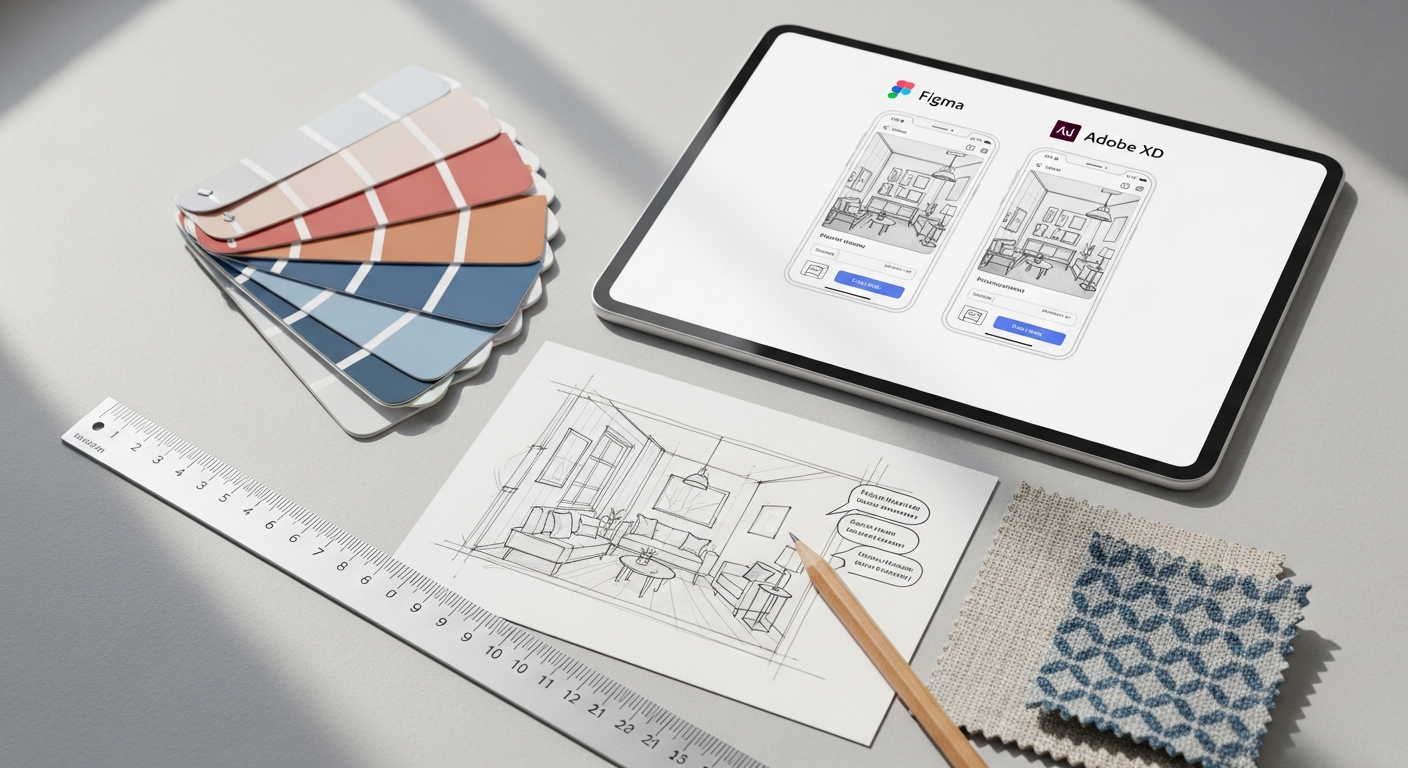
When pitting Figma against Adobe XD in 2026, it’s not simply a matter of feature lists but a deeper look into their underlying philosophies, performance, and how they empower design teams. Each tool has refined its offerings, making the choice more nuanced than ever before.
Collaboration & Handoff
- Figma: Its real-time, browser-based collaboration remains unmatched. Multiple designers, developers, and stakeholders can simultaneously edit, comment, and inspect designs on the same canvas. This drastically reduces communication overhead and version control issues. The integrated developer handoff features (Inspect mode) are highly intuitive, providing code snippets and asset exports directly from the design file, ensuring a smooth transition to development.
- Adobe XD: XD offers cloud-based coediting, allowing multiple designers to work on the same document simultaneously. However, it typically requires the desktop application and, while robust, doesn’t always feel as fluid or universally accessible as Figma’s browser-native experience. Sharing prototypes and design specs via cloud links is efficient, and its integration with Adobe’s ecosystem can streamline handoff for teams already using other Adobe tools, particularly for asset management.
Verdict: For pure, unadulterated real-time collaboration and universal accessibility, Figma generally holds the edge. For teams deeply integrated into the Adobe ecosystem, XD’s coediting and Creative Cloud Libraries offer a highly optimized, albeit slightly less universally accessible, collaborative workflow.
Prototyping & Animation
- Figma: Provides robust prototyping with a wide range of transitions and interactive elements. Its Smart Animate feature offers intelligent transitions, and the ability to embed external content (like videos) enhances realism. It’s excellent for demonstrating user flows and basic micro-interactions.
- Adobe XD: Excels in creating detailed micro-interactions and advanced animations, particularly with its Auto-Animate feature and the seamless integration with After Effects for high-fidelity motion design. Its unique voice prototyping capabilities are a significant advantage for VUI design. The ability to define component states also streamlines complex interactive elements.
Verdict: For standard UI/UX prototyping and user flow demonstrations, both are excellent. For highly sophisticated micro-interactions, complex motion design, or voice UI prototyping, Adobe XD often provides more granular control and specialized features, especially when combined with After Effects.
Design System Management
- Figma: Its component architecture, combined with powerful features like Auto Layout 3.0+ and component variants, makes Figma an industry leader in building and maintaining robust, scalable design systems. Centralized libraries, accessible across all files, ensure consistency and efficiency. The community-driven plugin ecosystem also offers numerous tools to enhance design system governance.
- Adobe XD: Offers strong capabilities for design systems through its components, component states, and Creative Cloud Libraries. Content-Aware Layout and Repeat Grid contribute to efficient component creation. While solid, some might find Figma’s component variant system and global style management slightly more flexible and powerful for very large, complex design systems.
Verdict: Both are highly capable. For sheer flexibility, advanced variant management, and the power of Auto Layout, Figma often comes out ahead in terms of pure design system scalability and maintenance for complex projects in 2026.
Performance & Scalability
- Figma: Being browser-based, its performance can vary slightly based on internet connection and browser capabilities. However, Figma is exceptionally optimized, handling large, complex files with numerous artboards and components surprisingly well. Its cloud infrastructure ensures excellent scalability for large teams and projects.
- Adobe XD: As a desktop application (with cloud features), its performance is typically tied to local hardware. It’s generally very fast and responsive on modern machines. For very large files, it can sometimes consume significant system resources, though Adobe has made continuous improvements in optimization.
Verdict: Both perform admirably. Figma’s cloud-native architecture offers inherent advantages in scalability and accessibility across diverse hardware. XD provides excellent local performance on capable machines.
Pricing & Ecosystem Value
- Figma: Offers a generous free tier, making it highly accessible for individuals and small teams. Paid plans are structured per editor, making it cost-effective for growing teams. Its value proposition is centered around collaboration and community.
- Adobe XD: Is included with Adobe Creative Cloud subscriptions, making it a natural choice for existing Adobe users who already pay for other CC apps. For those not in the Adobe ecosystem, a standalone subscription might be less appealing compared to Figma’s entry-level pricing. Its value is deeply tied to its integration with the broader Adobe suite.
Verdict: For individual designers or teams not invested in Adobe’s ecosystem, Figma’s free tier and per-editor pricing can be more attractive. For existing Creative Cloud subscribers, Adobe XD offers tremendous added value at no extra cost, making it a compelling choice.
Enterprise & Team Features: Figma vs Adobe XD (2026)
For enterprise buyers evaluating governance, security, and team administration features:
| Feature | Figma (Organization/Enterprise) | Adobe XD (Creative Cloud for Enterprise) |
|---|---|---|
| SSO (Single Sign-On) | SAML 2.0 / Okta / Azure AD (Organization plan +) | SAML 2.0 via Adobe Admin Console (Enterprise CC) |
| SCIM Provisioning | Automatic user provisioning/deprovisioning (Organization plan +) | Supported via Adobe Admin Console |
| Design System Analytics | Component usage analytics, library adoption tracking (Organization +) | Not available (feature dev discontinued) |
| Branching & Merging | File branching for parallel design work, merge reviews (Organization +) | Not available |
| Audit Logs | User activity logs, file access history (Enterprise plan) | Adobe Admin Console activity logs |
| Private Plugins | Organization-private plugin registry (Organization plan +) | Not available (feature dev discontinued) |
| Data Residency / DPA | GDPR-compliant; DPA available; SOC 2 Type II certified; EU data region option (Enterprise) | Adobe CC GDPR/CCPA compliance; SOC 2 via Adobe Admin |
Choosing Your Champion: Which Tool is Right for You in 2026?
The decision between Figma and Adobe XD in 2026 is less about declaring an absolute winner and more about identifying the best fit for your specific needs, team structure, and existing ecosystem. Both are powerful, industry-leading tools, but their strengths are leveraged differently depending on the context.
For Collaborative Teams & Startups
If your team values seamless, real-time collaboration above all else, operates remotely or across different time zones, and needs a tool that’s accessible from any device, then Figma is likely your champion. Its web-based nature, intuitive co-editing, and robust commenting features significantly streamline the design process and foster an inclusive environment where everyone can contribute and stay updated. Startups often benefit from its generous free tier and scalable pricing model, allowing them to grow without immediate heavy investment. The rich plugin ecosystem also allows for immense customization and automation, catering to diverse project needs.
For Adobe Creative Cloud Users & Enterprises
If your organization is already deeply integrated into the Adobe Creative Cloud ecosystem, with designers regularly using Photoshop, Illustrator, and After Effects, then Adobe XD offers an unparalleled level of integration and workflow synergy. The ability to seamlessly import assets, leverage Creative Cloud Libraries, and extend animations with After Effects can create a highly efficient pipeline. Enterprises often appreciate the familiarity of the Adobe interface, reducing training time for designers already proficient in other CC apps. For teams that prioritize high-fidelity animation and voice prototyping, XD’s specialized features can be a significant advantage.
Considering Future Trends
As we look towards the future of design in 2026 and beyond, both tools are constantly evolving to incorporate new technologies like AI-driven design assistance and enhanced AR/VR prototyping capabilities. Figma’s open platform and strong community support often lead to rapid innovation through plugins and community contributions. Adobe, with its vast R&D resources, is positioned to integrate cutting-edge AI features and deepen its cross-application intelligence across the Creative Cloud. Your choice should also consider which platform’s strategic direction aligns best with your long-term technological roadmap.
Ultimately, the best way to make a decision is to try both. Leverage their free trials or tiers, run a pilot project, and see which one integrates most naturally into your team’s existing workflow and culture. Consider factors like designer proficiency, budget constraints, project complexity, and the criticality of real-time collaboration versus deep ecosystem integration. The right tool will empower your team to focus on creating exceptional user experiences, rather than wrestling with software limitations.
Beyond the Tools: Elevating Your Design Process in 2026
While choosing between powerful tools like Figma and Adobe XD is crucial, it’s essential to remember that even the most advanced software is only as effective as the process and principles guiding its use. In 2026, truly exceptional design outcomes stem from a holistic approach that integrates robust tools with fundamental UX methodologies and effective communication strategies.
The Indispensable Role of UX Design
At the heart of any successful digital product lies a deep understanding of What Is UX Design And Why It Matters. UX design isn’t just about making interfaces look good; it’s about making them functional, intuitive, and delightful to use. It encompasses user research, information architecture, interaction design, and usability testing. A designer proficient in Figma or Adobe XD must also be deeply empathetic to user needs, understanding their behaviors, motivations, and pain points. Without a solid UX foundation, even the most beautifully crafted prototypes will fail to resonate with users. Investing in UX research, persona development, and journey mapping prior to even opening a design tool ensures that the designs created are purposeful and user-centric, addressing real problems for real people.
Ensuring Usability Through Heuristic Evaluation
Once designs are prototyped in Figma or Adobe XD, validating their usability is the next critical step. One highly effective method for this is a Heuristic Evaluation. This systematic inspection of a user interface by a usability expert (or a team of experts) assesses its compliance with a set of recognized usability principles (heuristics). Common heuristics include visibility of system status, match between system and the real world, user control and freedom, consistency and standards, error prevention, recognition rather than recall, flexibility and efficiency of use, aesthetic and minimalist design, helping users recognize, diagnose, and recover from errors, and help and documentation.
How To Conduct A Heuristic Evaluation typically involves:
- Defining the scope and goals of the evaluation.
- Selecting 3-5 evaluators with expertise in usability and the domain.
- Providing evaluators with user personas and scenarios to guide their assessment.
- Each evaluator independently inspecting the interface against the chosen set of heuristics, noting down any violations and their severity.
- Aggregating findings from all evaluators, prioritizing issues, and discussing potential solutions.
Integrating heuristic evaluations into your design process, even before extensive user testing, can uncover significant usability issues early, saving time and resources. Both Figma and Adobe XD facilitate this by allowing easy creation and sharing of interactive prototypes that evaluators can navigate.
Communicating Insights with Infographics
Beyond creating exceptional designs, effective communication of design decisions, research findings, and project progress is vital. This is where visual communication tools, such as infographics, play a significant role. Infographic Design Tips And Best Practices involve distilling complex information into easily digestible, visually engaging formats.
Key tips include:
- Clarity and Simplicity: Focus on one core message per infographic.
- Visual Hierarchy: Use size, color, and placement to guide the viewer’s eye.
- Data Visualization: Employ appropriate charts and graphs (bar, line, pie, etc.) to represent data accurately and effectively.
- Branding Consistency: Adhere to brand guidelines (colors, fonts, logos) for a professional look.
- Storytelling: Structure the infographic to tell a clear, compelling story about your data or insights.
- White Space: Don’t overcrowd the design; allow elements to breathe.
Whether you’re presenting user research findings, a comparative analysis of design options, or the impact of a UX change, a well-designed infographic can convey information far more effectively than dense text or endless bullet points. You can design stunning infographics using vector tools within Figma or Adobe XD, or integrate them into presentations generated from your design prototypes, ensuring your design story is told compellingly and memorably.
Conclusion
As we conclude our comprehensive comparison of Figma and Adobe XD for 2026, it’s evident that both platforms have matured into highly sophisticated and indispensable tools for the modern UI/UX designer. Figma continues to champion real-time collaboration, unparalleled accessibility, and a robust, community-driven ecosystem that fosters rapid iteration and seamless teamwork. Its browser-first approach and powerful component management make it a favorite for agile teams and those prioritizing a unified, collaborative design environment.
Adobe XD, on the other hand, stands strong as an integrated powerhouse, offering deep synergy with the broader Creative Cloud suite. For designers and enterprises already invested in Adobe’s ecosystem, XD provides a familiar, feature-rich experience, excelling in high-fidelity prototyping, advanced animation through After Effects integration, and unique capabilities like voice prototyping. Its strength lies in offering a complete, end-to-end design solution within a tightly integrated family of creative applications.
The “better” tool ultimately hinges on your specific context: your team’s size and structure, your existing software ecosystem, your budget, and the particular demands of your projects in 2026. Regardless of your choice, remember that the tool is merely an enabler. The true magic of design lies in understanding What Is UX Design And Why It Matters, diligently applying methodologies like How To Conduct A Heuristic Evaluation to refine user experiences, and effectively communicating your vision through compelling formats, perhaps even leveraging Infographic Design Tips And Best Practices. By combining the power of these advanced tools with a foundational understanding of design principles and processes, designers in 2026 are exceptionally positioned to create digital experiences that are not only aesthetically pleasing but also profoundly intuitive, accessible, and impactful.
Beyond Figma and Adobe XD: UI/UX Tool Landscape in 2026
While Figma dominates in 2026, other tools fill specialized niches. Here’s how the full UI/UX tool ecosystem compares:
| Tool | Best For | Status (2026) | Pricing |
|---|---|---|---|
| Figma | UI/UX design, design systems, collaboration, prototyping | Industry standard ✅ | Free / $12–$75/editor/mo |
| Adobe XD | Legacy projects; teams deep in Adobe CC ecosystem | Discontinued new features (2023) ⚠️ | Included in Creative Cloud |
| Framer (framer.com) | High-fidelity interactive prototyping; code-based design; React publish | Growing rapidly ✅ | Free / $5–$15/mo |
| ProtoPie (protopie.io) | Advanced micro-interactions and sensor-based mobile prototypes without code | Specialist tool ✅ | Free (basic) / $42–$199/mo |
| Principle (principleformac.com) | Mac-only; timeline-based animation and motion prototyping | Niche/specialist ⚠️ | $129 one-time (macOS only) |
| Sketch (sketch.com) | macOS-only UI design; strong symbol libraries; developer inspect tools | Stable, macOS niche ⚠️ | $10/editor/mo |
| Penpot (penpot.app) | Open-source design tool; self-hosted option; SVG-native | Growing open-source alternative ✅ | Free (cloud + self-hosted) |
Migrating to Figma: From Adobe XD, Sketch, and InVision
With Adobe XD in maintenance-only mode, many teams are migrating existing projects to Figma. Here’s what to expect:
Adobe XD → Figma
- Official method: Install the “XD to Figma” plugin within Figma (Community → Plugins). Converts artboards, components, and styles. Text, vectors, and images generally transfer with high fidelity; interactive prototyping links require manual reconnection in Figma.
- Complex components: Component states in XD → Figma Variants; requires manual rework for complex interactive states.
- Adobe CC Libraries: Colors and character styles can be exported as tokens and imported via design token plugins (Tokens Studio for Figma).
Sketch → Figma
- Figma natively imports .sketch files (File menu → Import → upload .sketch file). Symbols → Figma Components; shared styles → Figma Styles. High fidelity for most design elements.
- Sketch Library files with nested symbols may require manual cleanup after import.
InVision → Figma
- InVision announced end-of-life in December 2024. Export all project assets (PNG/SVG) before migration; no direct InVision-to-Figma converter. Recreate prototyping flows natively in Figma using existing design files.
- Craft (InVision’s design plugin) projects: export via Sketch or Photoshop, then import to Figma.
Design Tokens, File Formats & Cross-Tool Compatibility
Design token ecosystems have become essential for large design systems in 2026, enabling seamless handoff between design tools and code — regardless of whether you use Figma or Adobe XD:
Design Token Tools & Standards
- W3C Design Tokens Community Group (DTCG): The emerging open standard for design tokens (color, typography, spacing, border radius, shadow as JSON). Supported natively by Figma Variables (2024) and major token tools.
- Tokens Studio for Figma (formerly Figma Tokens, tokens.studio): The leading design token management plugin for Figma. Exports tokens to JSON in W3C DTCG format; syncs with GitHub/GitLab/Azure DevOps for engineer consumption. 100,000+ installations.
- Style Dictionary (Amazon, open-source): Converts design tokens from JSON/YAML into platform-specific code (CSS variables, iOS/Android constants, Sass, Less). Industry standard for design-to-code pipelines. Works with tokens exported from both Figma and Adobe XD.
- Theo (Salesforce, open-source): Similar to Style Dictionary; used in Salesforce’s Lightning Design System for cross-platform token distribution.
Native File Format Reference
| Format | Tool | Details & Portability |
|---|---|---|
| .fig | Figma | Proprietary cloud format; exported .fig files can be reopened in Figma desktop. Not directly importable into XD or Sketch without plugin conversion. |
| .xd | Adobe XD | Proprietary Adobe format; convert to Figma via “XD to Figma” plugin. Export artboards as PNG/SVG/PDF for handoff. InVision Craft plugin projects stored in Photoshop/Sketch layers. |
| .sketch | Sketch | Proprietary macOS format; natively imported by Figma (File → Import). Symbols → Figma Components; shared styles → Figma Styles. Layer fidelity: 90%+ for most files. |
| .svg / .png / .pdf | Universal | Universal export formats supported by all tools; SVG preserves vector paths and is preferred for developer handoff of icons, illustrations, and logos. |
| JSON (Design Tokens) | All (via plugins) | W3C DTCG JSON format; exported from Figma Variables or Tokens Studio; consumed by Style Dictionary, Theo, or Storybook Design Tokens addon for code generation. |
Sources & References
Key primary sources for the facts and claims in this comparison:
- Adobe XD discontinuation: Adobe blog post, January 2023: “An update on Adobe XD” — Adobe announced no further new feature development. Adobe support pages confirm existing Creative Cloud access continues.
- Adobe-Figma acquisition terminated: Adobe press release, December 18, 2023 — $20B acquisition deal terminated after European Commission (EC) and UK Competition and Markets Authority (CMA) raised objections over market concentration in screen design software.
- InVision end-of-life: InVision Blog, December 2024 — InVision announced platform shutdown and end-of-life, encouraging users to migrate to alternative tools.
- Figma pricing: figma.com/pricing — verified March 2026. Starter: Free. Professional: $12/editor/mo (annual). Organization: $45/editor/mo (annual). Enterprise: $75/editor/mo (annual).
- W3C Design Tokens Community Group (DTCG): w3.org/community/design-tokens — open standard for cross-tool design token interoperability.
- Framer, ProtoPie, Sketch, Penpot: Official websites and pricing pages verified March 2026.
- Figma enterprise compliance: Figma Security page (figma.com/security) — SOC 2 Type II, GDPR DPA, CCPA, ISO 27001.
Frequently Asked Questions
Recommended Resources
Explore What Is No Code Development And How To Use It for additional insights.
You might also enjoy Best Password Manager Apps 2026 from Bookmark Sharer.