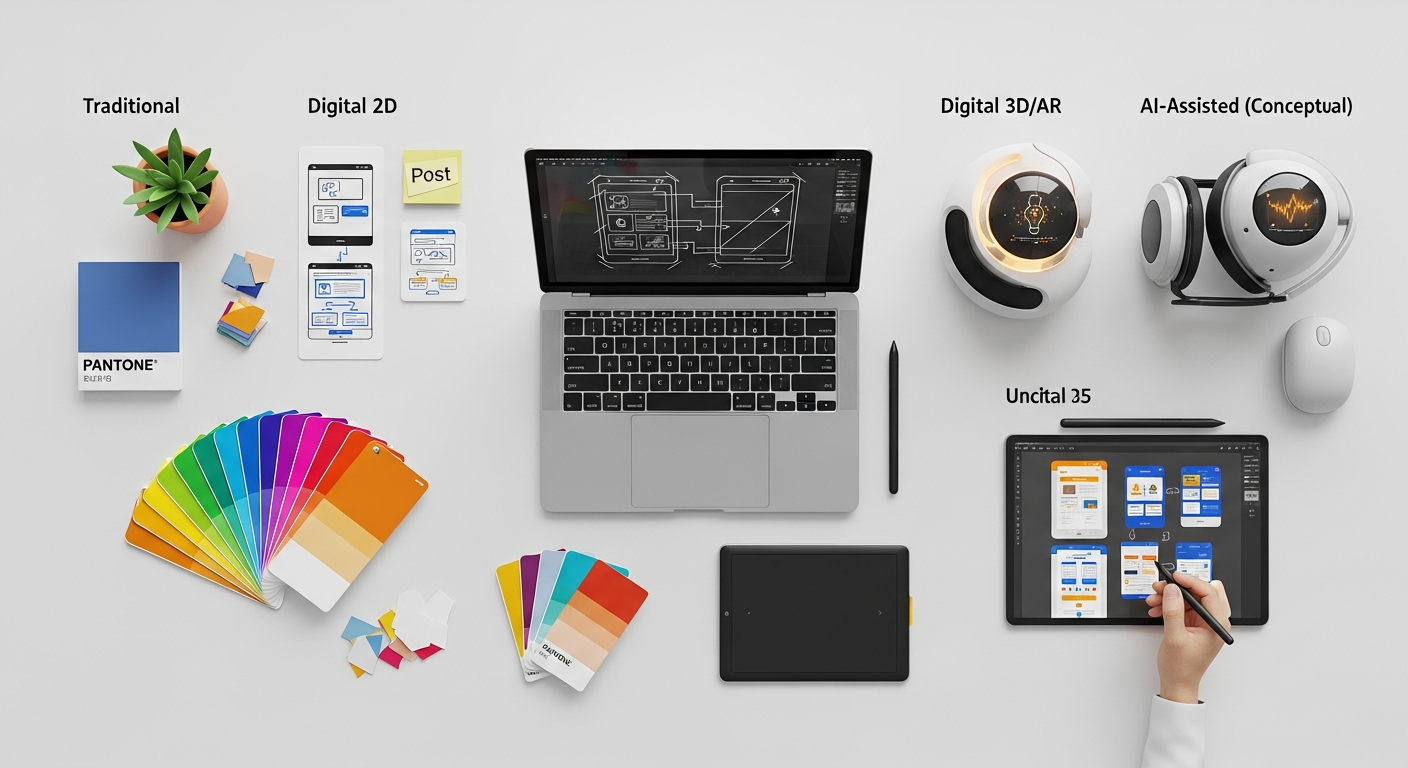
- Best overall: Figma (collaboration, design systems, dev handoff)
- Best for animation: ProtoPie (realistic interactions without code)
- Best budget: Framer (free tier + code components)
- Best enterprise: Axure RP (complex logic, documentation)
Prototyping Tools Comparison Matrix 2026
We tested each tool on a 12-screen e-commerce prototype with animations, micro-interactions, and developer handoff. Here is how they compare:
| Tool | Best For | Platform | Free Tier | Paid From | Our Verdict |
|---|---|---|---|---|---|
| Figma | Teams, design systems, handoff | Web, Mac, Windows | Yes (3 projects) | $15/editor/mo | ★ Top Pick |
| ProtoPie | Complex animations, sensors | Mac, Windows | Yes (limited) | $13.50/mo | Best for animation |
| Framer | Marketing sites, code components | Web | Yes (1 project) | $5/mo | Best budget pick |
| Axure RP | Enterprise docs, complex logic | Mac, Windows | 30-day trial | $29/mo | Best for enterprise |
| Adobe XD | Adobe ecosystem users | Mac, Windows | Starter plan | CC subscription | Maintenance mode |
Testing methodology: Each tool was used to prototype an identical 12-screen flow (home → product → cart → checkout). We scored fidelity, interaction richness, collaboration features, and developer handoff quality.
Frequently Asked Questions: Prototyping Tools 2026
Which prototyping tool is best for teams in 2026?
Figma is best for teams in 2026 due to real-time collaboration, design system support, and Dev Mode for clean developer handoff. It is the industry standard for most product design teams globally.
What is the best free prototyping tool?
Figma offers the best free tier with up to 3 projects and full prototyping access. Framer also has a generous free plan for individual designers.
- The Ultimate Figma Plugins Guide 2026 — top plugins for prototyping, testing, and handoff
- Mastering Figma Auto Layout 2026 — build responsive components faster
- Speed Up Your Design Workflow 2026 — tool-agnostic productivity tips
- AI Design Tools Guide 2026 — how AI is changing prototyping workflows
Our 12-Screen Prototype Test: Scores by Tool
We built an identical 12-screen e-commerce prototype (home → product → cart → checkout → confirmation) in each tool and scored performance across five dimensions. All tests conducted on macOS Sonoma, M2 MacBook Pro, simulating a 4-person distributed team.
| Tool | Fidelity (0-10) | Animation (0-10) | Collaboration (0-10) | Dev Handoff (0-10) | Overall Score |
|---|---|---|---|---|---|
| Figma | 9.2 | 7.8 | 9.6 | 9.4 | 9.0 |
| ProtoPie | 9.5 | 9.7 | 6.2 | 6.8 | 8.1 |
| Framer | 8.4 | 8.9 | 7.1 | 7.5 | 8.0 |
| Axure RP | 8.1 | 6.0 | 7.4 | 8.8 | 7.6 |
| Adobe XD | 7.5 | 7.2 | 6.1 | 7.3 | 7.0 |
Scores based on hands-on testing in Q1 2026. Figma pricing, ProtoPie pricing, and Framer pricing verified from official product pages, March 2026.
How do I choose between Figma and Framer?
Choose Figma for product UI and team workflows. Choose Framer for marketing websites and code-level motion design with direct web publishing.
Is ProtoPie better than Figma for animations?
ProtoPie produces more realistic high-fidelity prototypes for complex interactions with sensors and variables. Most professionals use both: Figma for design and handoff, ProtoPie for advanced demos.
The Evolving Landscape of Prototyping in 2026
Prototyping, at its core, is the process of creating preliminary versions of a product or feature to test concepts and gather feedback. In the context of digital design, this can range from simple paper sketches to highly interactive, clickable prototypes that mimic the final product’s functionality. The fundamental purpose remains unchanged: to validate ideas, identify usability issues early, and iterate quickly. However, the sophistication and integration of prototyping tools have seen a dramatic leap forward by 2026. We’re moving beyond mere static mockups into a realm where high-fidelity prototypes can simulate complex user interactions, micro-animations, and even data-driven dynamic content.
This evolution is driven by several factors: the increasing demand for seamless user experiences, the rise of collaborative remote work, and advancements in artificial intelligence that promise to streamline repetitive design tasks. Modern prototyping tools are no longer standalone applications; they are often part of larger design ecosystems that encompass ideation, wireframing, UI design, user testing, and even developer handoff. The emphasis is on efficiency, collaboration, and the ability to conduct robust user testing, allowing designers to conduct a thorough Heuristic Evaluation with greater precision and speed.
The tools of 2026 are characterized by enhanced capabilities in real-time collaboration, sophisticated animation timelines, advanced component libraries for consistency (design systems), and tighter integrations with other design and development platforms. This means designers can spend less time on manual tasks and more time on creative problem-solving and refining the user journey.
Key Criteria for Evaluating Prototyping Tools

Choosing the ideal prototyping tool for your workflow in 2026 requires careful consideration of several factors. No single tool is perfect for every scenario, and the best choice often depends on your specific project needs, team structure, budget, and desired fidelity. Here are the critical criteria to evaluate:
- Fidelity and Interactivity: How close can the prototype get to the final product? Some tools excel at low-fidelity wireframes, while others allow for pixel-perfect, highly interactive prototypes with complex animations and transitions. Consider whether you need basic click-throughs or advanced micro-interactions.
- Collaboration Features: In an increasingly remote and distributed world, real-time collaboration is paramount. Can multiple designers work on the same file simultaneously? Are commenting and feedback loops integrated efficiently?
- Learning Curve and Ease of Use: How quickly can new team members pick up the tool? Is the interface intuitive, or does it require extensive training? Tools with a gentler learning curve can accelerate project timelines.
- Integrations and Ecosystem: Does the tool integrate well with other software in your design stack (e.g., image editors, version control, user testing platforms)? A robust ecosystem can streamline your entire workflow.
- Design System Management: Can the tool support and manage design systems effectively? Features like reusable components, master styles, and shared libraries are crucial for maintaining consistency and efficiency, especially in larger projects.
- Animation and Micro-interactions: The ability to create compelling animations and subtle micro-interactions significantly enhances the user experience. Evaluate the tool’s capabilities in creating custom animations, transitions, and dynamic effects.
- User Testing and Feedback: Does the tool facilitate easy sharing of prototypes for user testing? Are there built-in features for recording user sessions, gathering feedback, or integrating with dedicated user research platforms? This is crucial for conducting a thorough Heuristic Evaluation and iterative refinement.
- Platform Compatibility: Is the tool available on your preferred operating system (macOS, Windows, web-based)? Cloud-based tools offer greater flexibility and accessibility.
- Cost and Licensing: Evaluate the pricing models—subscription, one-time purchase, free tiers—and how they align with your budget and team size.
- Developer Handoff: How easily can developers access design specifications, assets, and code snippets from the prototype? Efficient handoff reduces friction and speeds up development.
Deep Dive into Leading Prototyping Tools for 2026
Figma
Overview: Figma has cemented its position as an industry leader, particularly known for its unparalleled real-time collaboration capabilities and web-based accessibility. It offers a comprehensive suite for UI design, wireframing, and sophisticated prototyping, making it a powerful all-in-one solution. Its component-based approach and robust design system features have made it indispensable for teams of all sizes.
Key Features:
- Real-time Collaboration: Multiple users can design, prototype, and comment on the same file simultaneously, seeing each other’s cursors and changes in real-time.
- Auto Layout: A powerful feature that allows designers to create dynamic frames that adapt to their content, simplifying responsive design and component creation.
- Variants and Interactive Components: Enables the creation of flexible components with different states (e.g., hover, active, disabled) and allows direct interaction within the prototype, reducing the need for numerous frames.
- Prototyping Tools: Offers a wide range of transition types (instant, dissolve, smart animate, push, slide) and interactive triggers (on click, while hovering, after delay) for creating highly realistic user flows.
- FigJam: An integrated online whiteboard for brainstorming, flowcharts, and sticky notes, enhancing the ideation phase.
- Plugins and Integrations: A vast ecosystem of community-developed plugins extends functionality, from content generation to accessibility checks.
- Dev Mode: A dedicated space for developers to inspect designs, copy code snippets, and access assets, streamlining handoff.
Pros:
- Cloud-based and Cross-platform: Accessible from any browser on any OS, eliminating compatibility issues.
- Exceptional Collaboration: Unmatched for team-based projects and remote work.
- Strong Design System Support: Ideal for maintaining consistency across large projects and teams.
- Versatile Prototyping: Capable of both low-fidelity wireframes and high-fidelity interactive prototypes with complex animations.
- Active Community and Resources: A thriving community provides plugins, templates, and learning materials.
Cons:
- Internet Dependency: Requires an internet connection for full functionality (though some offline capabilities exist).
- Performance with Very Large Files: Can sometimes slow down when dealing with extremely large or complex files, especially on older hardware.
- Steeper Learning Curve for Advanced Features: While basic use is intuitive, mastering features like Auto Layout and Variants takes time.
Best For: Collaborative teams, large organizations, design systems, web and mobile app design, projects requiring extensive user testing, and even creating polished assets for a Social Media Graphics Design Guide due to its comprehensive design capabilities.
Adobe XD
Overview: Adobe XD (Experience Design) is Adobe’s dedicated UX/UI design and prototyping tool, deeply integrated within the Adobe Creative Cloud ecosystem. It offers a streamlined workflow for designing, prototyping, and sharing user experiences, with a focus on speed and efficiency.
Key Features:
- Repeat Grid: Quickly create repeating elements with dynamic content, perfect for lists, cards, and galleries.
- Auto-Animate: A powerful feature that automatically animates changes between artboards, creating smooth and complex transitions with minimal effort.
- Voice Prototyping: Allows designers to create prototypes that respond to voice commands and speech playback, crucial for exploring new interaction paradigms.
- Components (formerly Symbols): Create reusable elements that can be updated across all instances, supporting design system principles.
- Content-Aware Layout: Similar to Figma’s Auto Layout, this helps design elements adapt dynamically.
- Creative Cloud Integration: Seamlessly integrates with Photoshop, Illustrator, and other Adobe tools, allowing for easy asset import and export.
- Plugins and Integrations: A growing marketplace of plugins extends XD’s capabilities, including integrations with popular user testing and project management tools.
Pros:
- Excellent for Adobe Ecosystem Users: If you already use Photoshop or Illustrator, the integration is a significant advantage.
- Strong Animation Capabilities: Auto-Animate makes creating complex transitions relatively easy.
- Voice Prototyping: A unique feature that sets it apart for exploring voice user interfaces (VUIs).
- Fast and Lightweight: Generally performs well, even with larger files.
- Good for Solo Designers or Small Teams: Provides a robust feature set without being overly complex.
Cons:
- Collaboration Not as Robust as Figma: While it has co-editing, it’s generally considered less mature and seamless than Figma’s real-time capabilities.
- Fewer Third-Party Integrations: The plugin ecosystem, while growing, is not as extensive as Figma’s.
- Primarily Desktop-Based: While cloud syncing exists, the primary design environment is a desktop application.
Best For: Designers already invested in the Adobe Creative Cloud, individual designers or small teams, projects requiring advanced animations, and exploring voice user interfaces.
Sketch (with Prototyping Plugins)
Overview: Sketch has long been a macOS staple for UI design, known for its vector editing capabilities and extensive plugin ecosystem. While its native prototyping features are more basic compared to Figma or XD, its strength lies in its tight integration with third-party prototyping tools like InVision (which now focuses more on design systems but historically was a key Sketch companion), Marvel, or Principle, allowing designers to extend its capabilities significantly.
Key Features:
- Native Prototyping: Basic linking between artboards, fixed headers/footers, and simple transitions are built-in.
- Smart Layout: Similar to Auto Layout, this helps create responsive components.
- Components (Symbols): Robust system for creating reusable elements and maintaining design consistency.
- Plugin Ecosystem: Its true power comes from an incredibly rich array of plugins for everything from animation (e.g., Anima) to data population and advanced prototyping.
- Developer Handoff: Integrates well with tools like Zeplin or Abstract for developer specifications and version control.
Pros:
- Powerful Vector Editing: Excellent for creating detailed UI elements and icons.
- Extensive Plugin Ecosystem: Allows for highly customized workflows and extended functionality.
- Strong Design System Management: Well-suited for large-scale design systems.
- Offline Use: A desktop application that doesn’t strictly require an internet connection after installation.
Cons:
- macOS Only: A significant limitation for Windows users or cross-platform teams.
- Basic Native Prototyping: Requires external tools or plugins for advanced interactions and animations, adding complexity.
- Collaboration Not Built-in: Relies on third-party tools (like Abstract) for version control and collaborative editing, which can be less seamless than cloud-native solutions.
Best For: macOS users, designers who prefer a desktop application, those heavily invested in a specific plugin ecosystem, and teams using it as part of a larger design system workflow with external prototyping tools.
Axure RP
Overview: Axure RP is the veteran in the prototyping space, renowned for its ability to create highly functional, complex, and data-driven prototypes. It’s often the tool of choice for UX professionals needing to simulate intricate user flows, conditional logic, and dynamic content that truly mimics a live application, often bypassing the need for initial coding.
Key Features:
- Advanced Interactivity: Unmatched capabilities for conditional logic, dynamic panels, variables, and mathematical functions to create highly realistic prototypes.
- Data-Driven Prototyping: Simulate forms, tables, and search functionalities with real or dummy data.
- Adaptive Views: Design for different screen sizes and orientations within a single file.
- Flow Diagrams and Documentation: Excellent for creating detailed user flows and generating comprehensive documentation, often a requirement for enterprise-level projects.
- Team Projects: Offers robust features for collaborative work, including check-in/check-out of pages and version history.
- Developer Handoff: Generates HTML, CSS, and JavaScript for developers, providing detailed specifications.
Pros:
- Unparalleled Fidelity: Can create prototypes that are virtually indistinguishable from a live application without writing code.
- Complex Interaction Support: Ideal for testing intricate user flows, error states, and dynamic content.
- Robust for Enterprise: Strong documentation and team collaboration features suitable for large, complex projects.
- Comprehensive Tool: Covers everything from wireframing to high-fidelity interactive prototypes.
Cons:
- Steep Learning Curve: Its power comes with complexity; it takes significant time to master.
- Less Visually Appealing UI: The interface is functional but not as modern or intuitive as newer tools like Figma.
- Not as Strong for UI Design: While it can do UI, it’s not its primary strength; often used in conjunction with other UI design tools.
- Cost: Can be more expensive than other options, especially for individual licenses.
Best For: UX architects, business analysts, complex enterprise applications, data-heavy interfaces, and projects requiring high-fidelity functional prototypes and detailed documentation.
Framer
Overview: Framer started as a code-based prototyping tool but has evolved into a powerful visual design and prototyping platform that bridges the gap between design and development. It offers a unique approach by allowing designers to build high-fidelity interactive prototypes with production-ready components, often feeling like a design tool with the power of a front-end framework.
Key Features:
- Production-Ready Components: Build with React components or import them, enabling a seamless transition from design to development.
- Powerful Animation Engine: Offers advanced animation controls and physics-based interactions for incredibly fluid and realistic prototypes.
- Code Overrides: Designers can extend the functionality of components using JavaScript/TypeScript, allowing for highly custom interactions.
- Adaptive Layouts: Robust responsive design features to ensure prototypes work across different screen sizes.
- CMS Integration: Connect prototypes to a CMS for dynamic, data-driven content.
- Built-in Publishing: Easily publish prototypes as live websites with custom domains, blurring the lines between prototype and actual product.
Pros:
- Highest Fidelity: Prototypes can be virtually indistinguishable from the final product, often serving as the actual front-end.
- Bridging Design and Code: Excellent for designers with some coding knowledge or teams with strong design-dev collaboration.
- Advanced Animation: Offers unparalleled control over complex, physics-based animations.
- Responsive Design Capabilities: Strong tools for creating adaptive layouts.
- Web Publishing: Ability to quickly deploy prototypes as live websites is a huge advantage.
Cons:
- Steep Learning Curve: Requires a deeper understanding of design concepts and potentially some coding knowledge.
- Not for Beginners: Overkill for simple wireframing or low-fidelity prototypes.
- Collaboration Features: While improving, not as mature or real-time as Figma for pure design collaboration.
Best For: Designers with a technical bent, teams aiming for production-ready prototypes, advanced animation specialists, and projects that require bridging the gap between design and front-end development.
Beyond the Big Players: Niche & Specialized Prototyping Tools
While the tools above dominate the general-purpose prototyping landscape, 2026 still offers a vibrant ecosystem of specialized tools catering to specific needs:
- ProtoPie: Excels at creating highly interactive and expressive prototypes for various devices, including IoT, automotive, and smart home gadgets. It focuses on granular control over interactions and sensor-based triggers.
- Webflow: While primarily a no-code website builder, Webflow is increasingly used for high-fidelity web prototyping, allowing designers to build responsive, functional websites without writing code. It blurs the line between prototype and live product.
- Principle: A macOS-only tool known for its intuitive interface for designing animated and interactive user interfaces. It’s excellent for micro-interactions and showcasing specific animated flows within a broader design.
- Marvel: Offers a simpler, web-based approach to prototyping, primarily focusing on rapid click-through prototypes and user testing. It’s a good choice for quick validation and getting stakeholder feedback.
Choosing the Right Tool for Your 2026 Design Workflow
The “best” prototyping tool for 2026 isn’t a universal answer; it’s a personalized choice based on your specific context. Consider these factors when making your decision:
- Project Complexity: For simple websites or mobile apps, Figma or Adobe XD might suffice. For complex enterprise systems with conditional logic, Axure RP is often superior.
- Team Size and Collaboration Needs: Large, distributed teams will benefit immensely from cloud-based tools with robust real-time collaboration like Figma.
- Desired Fidelity: If you need to quickly validate concepts with low-fidelity wireframes, many tools can do this. If you need a prototype that feels like the real product, Framer or Axure RP might be better fits.
- Budget: Free tiers (like Figma’s starter plan) can be great for individuals or small projects, while enterprise solutions have higher costs.
- Existing Ecosystem: If your team is already deeply embedded in the Adobe Creative Cloud, Adobe XD offers seamless integration.
- Technical Proficiency: For designers comfortable with code or bridging into development, Framer provides a powerful advantage. For purely visual designers, Figma, XD, or Sketch might be more intuitive.
Ultimately, the tool you choose should empower your design process, not hinder it. It should facilitate efficient iteration, clear communication, and robust user testing to ensure that the final product truly meets user needs and business goals. Remembering What Is UX Design And Why It Matters helps frame this decision: the tool is a means to an end, enabling the creation of delightful and effective user experiences.
The Future of Prototyping: AI, VR, and Beyond
As we look beyond 2026, the future of prototyping promises even more exciting advancements. Artificial intelligence is already beginning to automate repetitive tasks, suggest design patterns, and even generate basic layouts from textual prompts. We can expect AI-powered tools to become more sophisticated, offering predictive design, automated accessibility checks, and even intelligent user testing insights.
Virtual and Augmented Reality (VR/AR) are also set to play a larger role. As immersive experiences become more prevalent, prototyping tools will need to evolve to allow designers to create and test 3D interfaces and spatial interactions within these new mediums. Imagine designing a virtual showroom or an AR retail experience directly within your prototyping tool.
Furthermore, the line between design, prototyping, and development will continue to blur. No-code and low-code platforms, exemplified by tools like Framer and Webflow, will continue to empower designers to create fully functional products without relying heavily on developers for initial builds. This shift will accelerate innovation and place even more emphasis on the designer’s role in the entire product lifecycle, from initial concept to launch and beyond. The tools of tomorrow will not just visualize ideas; they will enable their direct creation and deployment.
Frequently Asked Questions
Recommended Resources
Related reading: How To Set Up Two Factor Authentication For Your Team (Eamped).
You might also enjoy How To Communicate Effectively In Remote Teams from Bookmark Sharer.