The Definitive User Journey Mapping Guide for Beginners 2026
Why User Journey Mapping is Non-Negotiable in 2026
The digital world today is more competitive and user-centric than ever before. Users expect seamless, personalized, and intuitive interactions across multiple touchpoints. Gone are the days when a functional product was enough; now, the experience is the differentiator. User journey mapping isn’t just a nice-to-have; it’s an essential strategic tool for several critical reasons:
- Cultivating Deep Empathy: A user journey map forces you to see the world through your user’s eyes. It’s a powerful empathy tool, moving you beyond abstract user stories to a tangible, step-by-step understanding of their motivations, actions, and emotional states. This empathy is the foundation of truly user-centered design.
- Identifying Critical Pain Points: By visually charting a user’s path, you can pinpoint moments of frustration, confusion, or abandonment. These pain points are goldmines for design improvement, revealing where your product or service falls short and where users might drop off.
- Uncovering Untapped Opportunities: Beyond fixing problems, journey mapping helps you discover moments where you can exceed user expectations. These “moments of delight” or unmet needs represent opportunities for innovative features, improved content, or enhanced service delivery that can set your offering apart.
- Aligning Cross-Functional Teams: A well-crafted user journey map provides a shared understanding of the user experience across departments – from product and design to marketing, sales, and customer support. It breaks down silos, fostering a common language and vision for improving the user’s path, ensuring everyone is working towards the same user-centric goals.
- Driving Measurable Business Outcomes: By addressing pain points and capitalizing on opportunities, journey mapping directly contributes to improved KPIs. This can include higher conversion rates, increased user retention, reduced customer support inquiries, and ultimately, greater customer satisfaction and loyalty.
In essence, user journey mapping moves your design process from reactive problem-solving to proactive experience shaping. It’s about being intentional, empathetic, and strategic in every design decision you make.
Deconstructing the User Journey: Key Components and Anatomy

Before we dive into creation, let’s understand the fundamental building blocks of a user journey map. While formats can vary, these core components are universally present and essential for a comprehensive understanding:
-
The User/Persona
Every journey map begins and ends with a specific user. This isn’t a generic “customer” but a well-defined user persona, complete with demographics, behaviors, motivations, goals, and pain points. Mapping a journey for a specific persona ensures the map is focused, relevant, and truly empathetic.
-
Stages/Phases of the Journey
These are the high-level steps a user takes to achieve a goal. Common phases include:
- Awareness: The user realizes they have a need or problem.
- Consideration: The user explores potential solutions.
- Acquisition/Interaction: The user chooses and begins to interact with your product/service.
- Retention/Usage: The user continues to use your product/service.
- Advocacy: The user becomes a promoter of your product/service.
These phases provide the horizontal structure for your map.
-
User Actions
What does the user do at each stage? These are the observable behaviors and steps they take. Examples: “Searches for ‘best project management software’,” “Clicks on pricing page,” “Adds item to cart,” “Contacts support.”
-
User Thoughts
What is the user thinking at each step? These are their internal monologues, questions, doubts, and considerations. Examples: “Is this trustworthy?”, “Can I afford this?”, “Will this solve my problem?”, “What happens next?”.
-
User Feelings/Emotional Arc
How is the user feeling at each stage? This is often represented as an emotional “arc” or line graph, showing highs (delight, satisfaction) and lows (frustration, anxiety, confusion). Using emojis or specific emotional descriptors can be very effective.
-
Touchpoints
These are the specific points of interaction between the user and your product, service, or brand. Examples: Website, mobile app, email, social media ad, customer service call, physical store, product packaging.
-
Channels
The medium through which the touchpoint occurs. Examples: Desktop browser, mobile device, phone, in-person. A touchpoint (e.g., “product page”) might occur across multiple channels (desktop, mobile).
-
Pain Points
Specific obstacles, frustrations, or negative experiences the user encounters. These are critical areas for improvement.
-
Opportunities/Solutions
Ideas for how design, content, or service improvements can address pain points, enhance positive experiences, or create new value.
-
Metrics
How success or failure is measured at each stage. Examples: Conversion rate, task completion time, bounce rate, customer satisfaction (CSAT) score, Net Promoter Score (NPS).
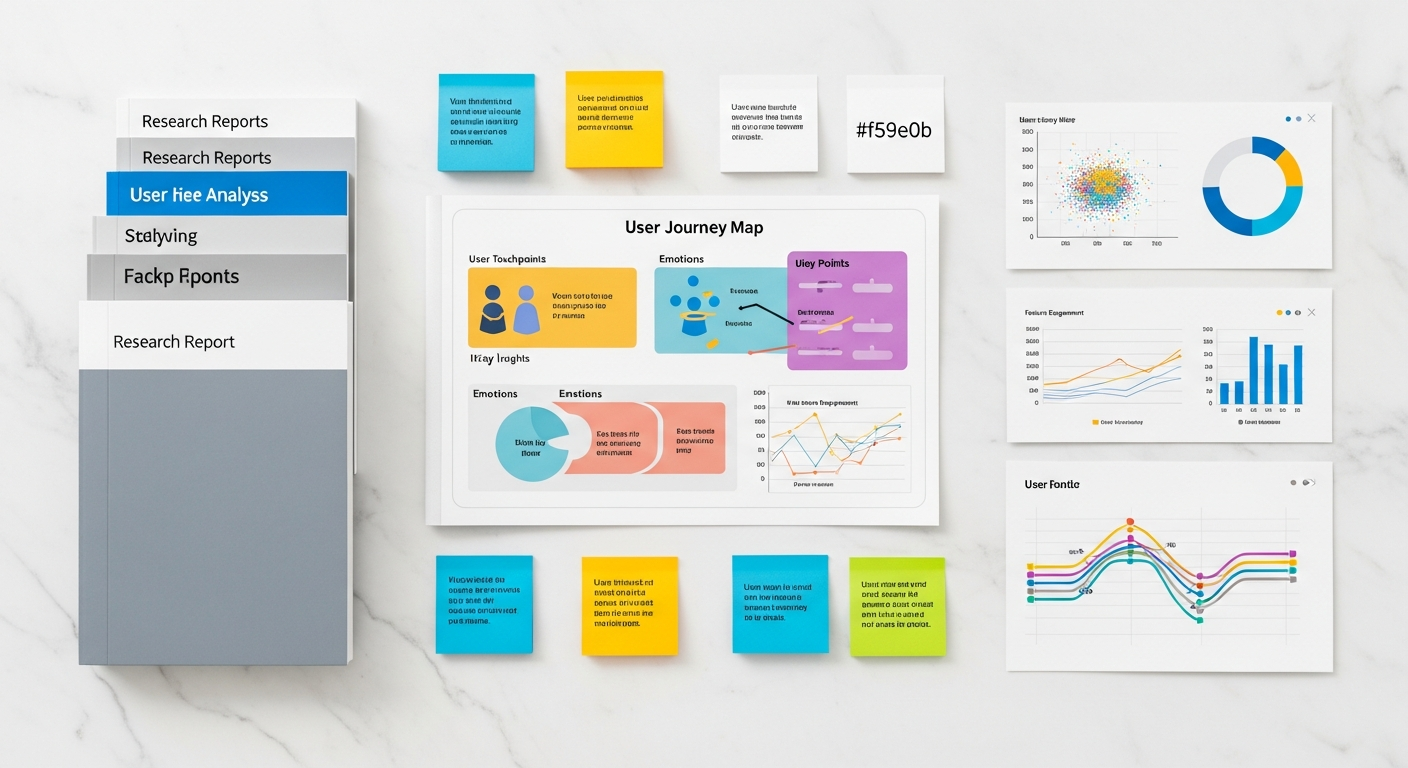
Visually, a user journey map often looks like a large diagram with horizontal “swimlanes” for each component (actions, thoughts, feelings, etc.) and vertical columns representing the stages of the journey. Arrows and visual cues help illustrate the flow and emotional arc.
Phase 1: Preparation – Laying the Foundation for a Powerful Map
A robust user journey map is built on solid preparation. Skipping this phase is a common pitfall that leads to inaccurate or unhelpful maps.
1. Define Your Scope and Goal
Before you even think about sticky notes or digital whiteboards, ask:
- What specific journey are we mapping? Is it the onboarding process for a new app user? The checkout flow for an e-commerce site? The experience of contacting customer support? Be precise.
- What problem are we trying to solve or understand? Are we trying to reduce cart abandonment, improve feature adoption, or identify reasons for low engagement? A clear goal will focus your efforts.
- What is the desired outcome of this mapping exercise? Do you want to generate new feature ideas, identify design improvements, or align team understanding?
A narrow, well-defined scope is better for beginners than trying to map “everything.”
2. Identify Your Persona(s)
You cannot map a journey without knowing who is taking it. This is where your user research comes in.
- Use existing personas: If your organization has well-defined user personas, select one or two primary ones relevant to your defined scope.
- If no personas exist: Conduct quick, foundational research (a few user interviews, surveys) to sketch out a provisional persona. Even a basic understanding of your target user’s goals, motivations, and pain points is better than none. Remember, you’re mapping a user’s journey, not everyone’s.
Anchor your map firmly to the perspective of this specific persona.
3. Gather Your Data
This is the lifeblood of an accurate journey map. Avoid making assumptions. Your data should be a blend of qualitative and quantitative insights:
- Qualitative Data:
- User Interviews: Speak directly to users about their experiences, motivations, and frustrations related to your scope.
- Usability Testing: Observe users interacting with your product/service, noting their actions, hesitations, and comments.
- Surveys: Gather open-ended feedback on specific experiences.
- Field Studies: Observe users in their natural environment if applicable.
- Quantitative Data:
- Analytics: Google Analytics, Mixpanel, Amplitude can show you where users drop off, what paths they take, and how long they spend.
- Heatmaps & Session Recordings: Tools like Hotjar or Crazy Egg reveal how users interact with specific pages or interfaces.
- A/B Test Results: Data on which design variations perform better.
- Customer Support Logs: Identify common issues, frequently asked questions, and recurring frustrations.
- Stakeholder Interviews: Talk to internal teams (sales, marketing, support, product management) who interact with users or have insights into their behavior and challenges.
Collect as much relevant data as you can before you start mapping.
4. Assemble Your Team
User journey mapping is best done collaboratively. Invite cross-functional team members to participate:
- UI/UX Designers: Bring expertise in user behavior and interface design.
- Product Managers: Offer strategic vision and business context.
- Marketing Specialists: Understand how users discover and are attracted to your product.
- Customer Support Representatives: Have invaluable direct insights into user pain points.
- Developers: Can provide technical feasibility and constraints.
Diverse perspectives ensure a holistic and accurate map, fostering shared ownership and understanding.
Phase 2: Mapping the Journey – Step-by-Step Creation

Now that your foundation is solid, it’s time to bring your user’s journey to life.
1. Choose Your Tool
The right tool facilitates collaboration and visualization.
- Digital Whiteboards (Recommended for Collaboration):
- Miro, Mural: Excellent for remote teams, offer pre-built templates, infinite canvases, and collaborative features like sticky notes, voting, and real-time editing. Ideal for brainstorming and initial mapping.
- Design Tools (For Polished Maps & Integration):
- Figma, Adobe XD: While not specialized for journey mapping, these tools are powerful for creating visually rich, custom maps. You can leverage auto-layout, components, and integrate screenshots of your UI directly into the map. Look for community plugins or templates for journey mapping to speed up the process.
- Specialized Journey Mapping Tools:
- Smaply, Custellence: Dedicated platforms for journey mapping, offering structured frameworks, persona management, and advanced analysis features. Great for larger organizations or complex projects.
- Low-Tech (For Brainstorming & Initial Drafts):
- Physical Whiteboard & Sticky Notes: Unbeatable for quick, tactile brainstorming sessions. You can easily move and reorganize ideas. Once complete, you can digitize it.
For beginners, starting with a digital whiteboard like Miro or Mural is often the most accessible and collaborative approach.
2. Outline the Stages
Begin by drawing out the high-level phases across the top of your canvas. Keep them broad initially (e.g., “Discovery,” “Evaluation,” “Onboarding,” “Usage,” “Support”). You can refine these later.
3. Brainstorm Actions & Touchpoints
For each stage, collaboratively brainstorm:
- User Actions: What specific steps does your persona take? Be detailed. (e.g., “Searches on Google,” “Reads blog post,” “Downloads app,” “Creates account,” “Explores dashboard”).
- Touchpoints: Where do these actions occur? (e.g., Google search results, company blog, App Store, signup form, app dashboard).
Use sticky notes (digital or physical) for each action and touchpoint, placing them under the relevant stage.
4. Uncover Thoughts & Feelings
This is where your research data becomes invaluable. For each action and touchpoint:
- Thoughts: What is the user thinking? What questions do they have? What are their motivations or concerns? (e.g., “Is this product right for me?”, “How long will this take?”, “Will my data be secure?”).
- Feelings: How is the user feeling emotionally? Use descriptive words or even emojis (e.g., excited, confused, frustrated, confident, anxious, delighted). Plot an emotional arc line across the journey to visually represent these highs and lows.
Don’t invent these; draw them directly from your user interviews, usability test observations, and survey responses.
5. Identify Pain Points & Opportunities
As you map thoughts and feelings, pain points will naturally emerge.
- Mark Pain Points: Clearly highlight moments of frustration, confusion, or difficulty. Use a distinct color (e.g., red sticky notes) or a specific icon.
- Brainstorm Opportunities: For each pain point, and even for positive moments you want to amplify, brainstorm potential solutions or improvements. These are your design opportunities. Use another distinct color (e.g., green sticky notes) or icon.
This step is where the map starts to become actionable.
6. Add Channels & Metrics
Contextualize your touchpoints and prepare for analysis:
- Channels: Specify the medium for each touchpoint (e.g., “Desktop web,” “Mobile app,” “Email,” “Phone call”).
- Metrics: For key stages or touchpoints, note down relevant metrics that could indicate success or failure (e.g., “Conversion Rate,” “Task Completion Time,” “CSAT Score,” “Bounce Rate”). This helps you measure the impact of future design changes.
7. Visualize the Journey
Bring it all together into a coherent visual narrative:
- Swimlanes: Organize your components into clear horizontal rows (e.g., one for Actions, one for Thoughts, one for Feelings, one for Pain Points/Opportunities).
- Flow and Arrows: Use arrows to show the progression from one stage to the next.
- Visual Cues: Incorporate icons, screenshots of your UI, or even short video clips (in digital tools) to make the map more engaging and understandable. Use color coding consistently.
Remember, the goal is clarity and insight, not just aesthetics.
8. Iterate and Refine
A user journey map is rarely perfect on the first try.
- Get Feedback: Share your draft map with other team members or even a few users. Do they agree with the depicted journey? Are there any missing steps or misinterpretations?
- Refine: Adjust stages, actions, thoughts, and feelings based on feedback and new insights.
It’s a living document that evolves as you learn more.
Phase 3: Action & Impact – Turning Maps into Measurable Results
A beautiful journey map sitting in a digital folder is a wasted effort. The true power of journey mapping lies in its ability to drive concrete design decisions and measurable improvements.
1. Analyze and Prioritize
With your map complete, gather your team to analyze the findings:
- Identify Critical Pain Points: Which pain points are most severe? Which occur at crucial stages (e.g., onboarding, checkout)? Which affect the most users?
- Prioritize Opportunities: Evaluate the opportunities you identified. Which ones offer the highest impact on user experience and business goals with a reasonable effort? Use prioritization frameworks like ICE (Impact, Confidence, Ease) or RICE (Reach, Impact, Confidence, Effort) to objectively rank your ideas.
Focus on a manageable number of high-priority opportunities to tackle first.
2. Translate Insights into Design Solutions
This is where designers shine. For your prioritized opportunities:
- Ideation: Brainstorm specific design solutions. This could involve new features, UI modifications, content rewrites, process changes, or even new service offerings.
- Prototyping: Create mockups, wireframes, or interactive prototypes in tools like Figma or Adobe XD that embody your proposed solutions. Show how the new design addresses the identified pain points.
- Testing: Validate your solutions with users through usability testing. Does the new design effectively resolve the pain point and improve the user’s experience? Gather feedback and iterate.
Connect every design decision back to a specific insight from your journey map.
3. Communicate and Socialize
The journey map is a powerful communication tool.
- Share Widely: Present the map and its key findings to stakeholders across the organization. Help them understand the user’s perspective.
- Tell a Story: Don’t just show the map; tell the story of your persona’s journey, highlighting the emotional highs and lows, and emphasizing the impact of pain points. Then, present your proposed solutions as the hero of the story.
- Make it a Living Document: Integrate the map into your regular design sprints, product reviews, and team meetings. Refer to it constantly to ensure user-centricity.
4. Monitor and Iterate
The user journey is dynamic, not static.
- Track Metrics: Monitor the KPIs you identified in your map to see if your design changes have had the desired impact. Did conversion rates improve? Did support tickets related to that pain point decrease?
- Regular Review: Schedule periodic reviews (e.g., quarterly or after major product releases) to update your journey maps. User behaviors, market conditions, and product features evolve, so your understanding of the journey must evolve too.
This continuous cycle of mapping, acting, and monitoring ensures that your product consistently meets and exceeds user expectations.
Common Pitfalls and How to Avoid Them
Even with the best intentions, beginners can fall into common traps. Be mindful of these to ensure your journey mapping efforts are fruitful:
- Mapping for “Everyone”:
- Pitfall: Trying to capture the journey of a generic “user” or multiple personas on a single map. This leads to a diluted, unfocused, and ultimately unactionable map.
- Fix: Always anchor your map to a single, well-defined user persona. If you have distinct user segments, create separate maps for each critical persona.
- Making Assumptions, Not Researching:
- Pitfall: Basing the map on internal assumptions, anecdotes, or what you think users do/feel, rather than actual data. This is the fastest way to create a misleading map.
- Fix: Emphasize the data gathering phase. Prioritize qualitative research (interviews, usability tests) to understand “why” and quantitative data (analytics) to understand “what” and “where.”
- Creating a Static Document:
- Pitfall: Spending a lot of time creating a beautiful map, only for it to be filed away and never referenced again.
- Fix: Treat your map as a living, breathing artifact. Integrate it into your design processes, refer to it in meetings, update it regularly, and ensure it actively informs design decisions.
- Getting Bogged Down in Detail (or Too High-Level):
- Pitfall: Either drowning in minutiae (e.g., mapping every single click) or being so high-level that it lacks actionable insights.
- Fix: Start broad with high-level stages, then progressively add detail as needed for your specific scope. Focus on the most impactful steps and emotional shifts. It’s an iterative balance.
- Focusing Only on Happy Paths:
- Pitfall: Only mapping the ideal, smooth journey where everything goes perfectly. This ignores the crucial learning opportunities from negative experiences.
- Fix: Actively seek out and map the pain points, frustrations, and moments of struggle. These are often where the most significant design improvements can be made. Consider mapping alternative or “unhappy” paths if they are critical.
- Not Being Actionable:
- Pitfall: Creating a map that looks impressive but doesn’t clearly lead to concrete design solutions or next steps.
- Fix: Explicitly link pain points to opportunities, and opportunities to proposed design solutions. Ensure your map clearly identifies “what’s next” for your team.