
Unifying Experiences: Crafting Cross-Platform Design Systems for Web and Native Applications
A well-executed cross-platform design system is more than just a style guide; it’s a living, breathing product that serves as the single source of truth for all design and development efforts. It empowers teams to build faster, reduce technical debt, and deliver a high-quality, consistent user experience that reinforces your brand’s identity. From defining foundational design tokens to establishing governance models, we’ll explore every facet of creating a system that truly unifies your digital product ecosystem.
The Imperative for Cross-Platform Design Systems: Why Unify?
The proliferation of devices and platforms has led to a fragmented digital experience for many organizations. You might have one team building a React web application, another developing a Swift-based iOS app, and yet another crafting a Kotlin Android app. Without a unified approach, these efforts often result in inconsistent UIs, disparate interaction patterns, and a diluted brand identity. Users perceive these inconsistencies as a lack of polish and attention to detail, eroding trust and hindering usability. This fragmentation also creates significant internal inefficiencies, as designers and developers often duplicate efforts, reinventing the wheel for similar components across different platforms.
A cross-platform design system directly addresses these challenges by providing a centralized, standardized repository of design principles, reusable components, and clear guidelines. The benefits are multifaceted:
- Enhanced Consistency: Ensures a uniform look and feel, interaction patterns, and brand voice across all digital products. This consistency builds user trust and makes your products more intuitive to use.
- Accelerated Development: With a library of pre-built, tested components and clear documentation, designers can create mockups faster, and developers can assemble interfaces more efficiently, significantly reducing time-to-market.
- Improved Maintainability: Updates to design elements or components can be propagated across all platforms from a single source, drastically simplifying maintenance and reducing the likelihood of introducing inconsistencies.
- Reduced Technical Debt: Standardized components and patterns lead to cleaner, more predictable codebases, minimizing the accumulation of technical debt over time.
- Stronger Brand Identity: Consistent visual language and user experience reinforce your brand’s presence and values, making your products more recognizable and memorable.
- Better Collaboration: Fosters a shared language and understanding between design, development, and product teams, breaking down silos and improving communication.
- Higher Quality and Accessibility: By baking in accessibility standards (like WCAG) from the outset, the system ensures that all components are inclusive by default, improving the overall quality and reach of your products.
While the advantages are clear, building a cross-platform design system is not without its complexities. You’ll need to navigate platform-specific nuances, technical integrations, and cultural shifts within your organization. However, the long-term gains in efficiency, quality, and user satisfaction far outweigh the initial investment.
Building the Unified Foundation: Design Tokens and Core Principles

The bedrock of any effective design system, especially a cross-platform one, is its foundational elements. These are the atomic pieces from which all larger components are constructed. Inspired by Brad Frost’s Atomic Design methodology, we start with the smallest, most abstract elements before building up to complex interfaces. For a cross-platform system, this journey begins with Design Tokens.
Design Tokens: The Single Source of Truth
Design tokens are the atomic units of your design system. They are name-value pairs that represent design decisions, stored in a platform-agnostic format (e.g., JSON, YAML). Instead of hardcoding values like #FFFFFF for white or 16px for body text, you define tokens such as color-brand-primary or font-size-body-medium. These tokens are then referenced by all your platform-specific implementations.
Consider the power of this approach: if your brand color needs to change, you update one token value, and that change automatically propagates across your web app (e.g., CSS variables), iOS app (e.g., Swift enums), and Android app (e.g., XML resources). This dramatically reduces the effort and potential for error in maintaining consistency.
Examples of design tokens include:
- Colors: Primary, secondary, success, error, text, background.
- Typography: Font families, font sizes, line heights, letter spacing, font weights.
- Spacing: Padding, margin values (e.g.,
spacing-xs,spacing-md,spacing-xl). - Shadows: Elevation values for cards, modals.
- Border Radii: Corner rounding for buttons, inputs, containers.
- Breakpoints: Responsive design thresholds.
- Animation Durations: Speeds for transitions and animations.
Tools like Style Dictionary are invaluable for managing design tokens. They allow you to define tokens once and then transform them into various output formats (CSS variables, Sass, Less, JavaScript objects, Swift, Kotlin, XML) for different platforms. In design tools like Figma, variables and styles serve a similar purpose, allowing designers to work directly with tokenized values.
Core Design Principles and Accessibility
Beyond tokens, your design system must be underpinned by a clear set of design principles. These principles act as a compass, guiding design decisions and ensuring that every component contributes to a cohesive and intentional user experience. Principles might include “Clarity,” “Efficiency,” “Delightful,” or “Accessible by Default.”
Accessibility, in particular, should not be an afterthought but a foundational principle. By integrating WCAG (Web Content Accessibility Guidelines) standards into your design tokens and component specifications, you ensure that your system produces inclusive experiences from the ground up. This means defining accessible color palettes (sufficient contrast), specifying keyboard navigation patterns, providing clear focus states, and ensuring semantic structure for screen readers. For example, your button component specifications should include requirements for ARIA attributes for web and equivalent accessibility labels for native platforms.
Component Architecture: From Abstract to Concrete
With design tokens established, the next critical step is to build your component library. This involves creating a hierarchy of components, from the simplest atoms to complex organisms, ensuring they are reusable, robust, and adaptable across platforms.
Abstract Components vs. Platform-Specific Implementations
A key concept in cross-platform design systems is the distinction between an abstract component and its concrete, platform-specific implementation. An abstract component defines the design intent, behavior, and API (properties, events, slots) of a UI element. For instance, an abstract “Button” component might specify its states (default, hover, active, disabled), sizes (small, medium, large), and variants (primary, secondary, ghost).
Each platform then implements this abstract specification using its native technologies:
- Web: A React component, a Vue component, or a standard Web Component.
- iOS: A custom
UIButtonsubclass or a SwiftUIButton. - Android: A custom
Viewor a Jetpack Compose composable. - Cross-Platform Frameworks: A component written in React Native or Flutter that renders to native UI elements.
The goal is to maximize shared logic and design consistency while respecting platform conventions. For example, a “Dropdown” component might have a consistent visual appearance across web and native, but its animation or how it handles focus might subtly adapt to feel more “native” on iOS or Android, aligning with Apple’s Human Interface Guidelines (HIG) or Material Design.
Tooling for Component Development and Documentation
Effective component development relies on robust tooling:
- Storybook: An industry standard for developing, documenting, and testing UI components in isolation. It allows you to showcase components in various states and props, making them easy to review and integrate. For cross-platform, you might have separate Storybook instances for web and native, or a unified one if using frameworks like React Native Web.
- Figma (or similar design tools): Used by designers to create the visual representations of components, often linked to design tokens via variables. Figma’s Dev Mode is increasingly bridging the gap between design and code, providing developers with inspectable properties and code snippets.
- Version Control: Git is essential for managing changes to your component libraries, ensuring collaboration and traceability.
- Package Managers: Tools like npm, Yarn, or Gradle are used to distribute and consume component libraries across different projects.
When designing components, always consider their API. What properties do they accept? What events do they emit? How do they handle children? A well-defined API makes components easy to use and maintain across your ecosystem.
Ensuring Consistency Across Platforms: Visual and Behavioral Alignment
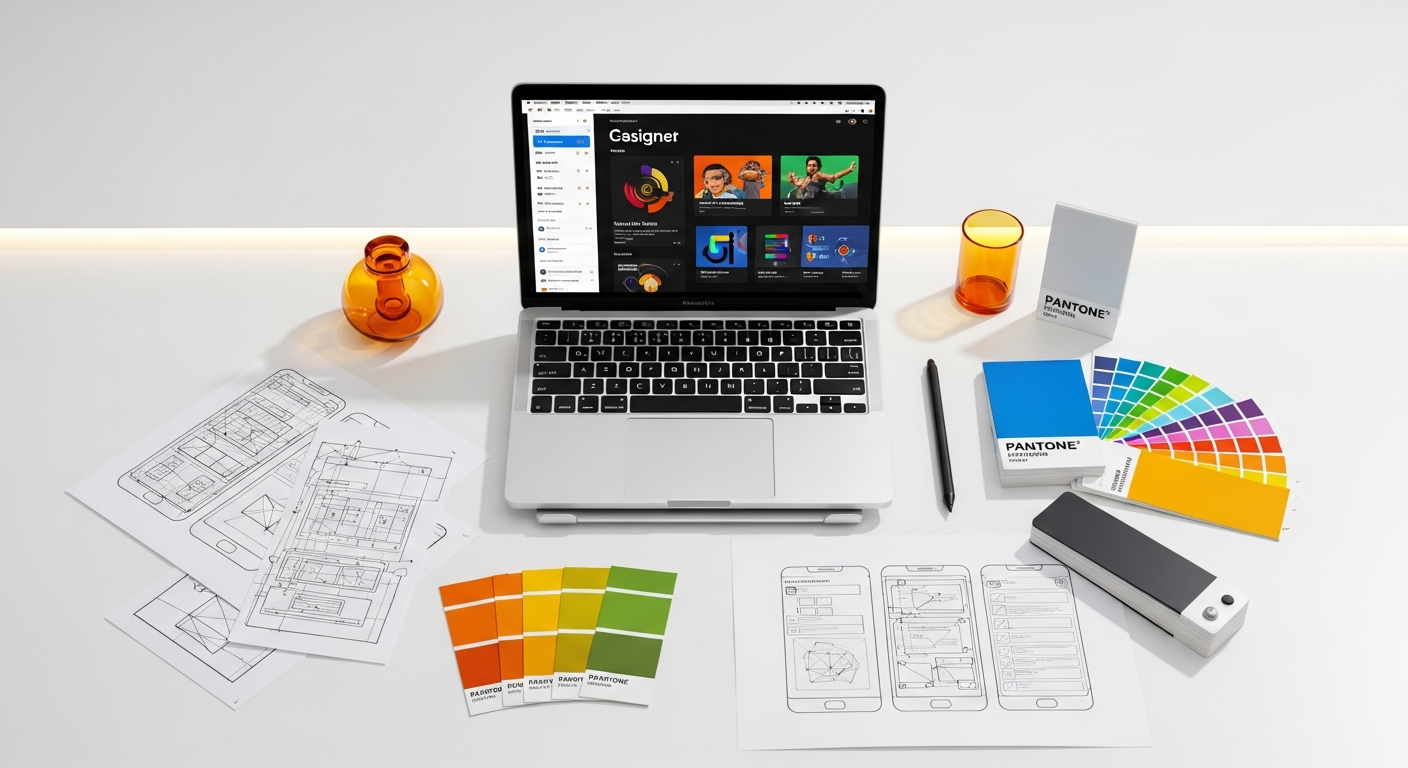
Achieving true cross-platform consistency goes beyond simply sharing design tokens. It requires a meticulous approach to both visual and behavioral aspects of your user interface, while also intelligently adapting to platform-specific expectations.
Visual Consistency: The Look and Feel
Visual consistency is the most apparent aspect of a unified experience. It encompasses:
- Typography: Ensuring consistent font families, weights, sizes, and line heights. While the exact rendering might differ slightly between web browsers and native text engines, the system should specify a harmonized typographic scale.
- Color Palettes: Directly managed by design tokens, but also considering how colors are applied to interactive states (hover, active, disabled) across platforms.
- Spacing and Layout: Consistent use of padding, margins, and grid systems. Responsive design principles are crucial for web, while adaptive layouts are key for native apps to accommodate different screen sizes and orientations.
- Iconography: A single set of icons, often in SVG format, that can be optimized and rendered consistently across web (inline SVG, icon fonts) and native (vector drawables, asset catalogs). Tools like Lottie can ensure consistent animations for loading states or feedback across platforms.
- Imagery and Illustrations: Guidelines for image compression, aspect ratios, and how illustrations are used to maintain brand voice.
- Motion and Animation: Standardizing animation durations, easing curves, and common motion patterns (e.g., how a modal appears or a tab transition occurs).
Behavioral Consistency: How Users Interact
Behavioral consistency is equally, if not more, important for a seamless user experience. This involves:
- Interaction Patterns: How users navigate, input data, receive feedback, and perform common actions. For example, the expected behavior of a “pull-to-refresh” gesture on a list, or how form validation errors are displayed.
- Navigation: Consistent global navigation structures (e.g., bottom tabs on mobile, top navigation on web) and consistent patterns for moving between screens or sections.
- Feedback Loops: Uniform ways of indicating success, error, loading states, and user input validation across all platforms.
- Empty States and Error States: Consistent messaging and visual treatment for when data is unavailable or an error occurs.
Platform-Specific Adaptations
While striving for consistency, it’s crucial not to force a “one-size-fits-all” approach that feels alien on a specific platform. Nielsen Norman Group research consistently shows that users prefer interfaces that feel native to their operating system. This means:
- Respecting OS Guidelines: Adhering to Material Design principles for Android and Apple’s Human Interface Guidelines for iOS where appropriate. This might mean using native date pickers, alert dialogs, or certain navigation patterns that are deeply ingrained in user expectations for that OS.
- Input Modalities: Designing for touch gestures on mobile, mouse and keyboard on desktop, and potentially voice or haptic feedback.
- Performance Expectations: Ensuring animations and interactions are smooth and performant on each platform.
The design system should provide guidance on when to strictly adhere to the unified system and when to defer to platform conventions for a better native experience. This often involves creating “wrapper” components that abstract away platform differences while exposing a consistent API.
Technical Implementation Strategies and Tooling
The technical implementation of a cross-platform design system is where the rubber meets the road. It requires careful consideration of architecture, tooling, and development workflows to ensure seamless integration and maintainability.
Monorepos vs. Separate Repositories
One of the first architectural decisions is whether to use a monorepo (a single repository containing all your projects, including the design system) or separate repositories for each platform’s component library.
Monorepo Advantages:
- Simplified dependency management and versioning.
- Easier code sharing (e.g., shared TypeScript types, utility functions).
- Atomic changes across multiple projects.
- Centralized tooling and build processes.
Monorepo Disadvantages:
- Can become complex to manage at scale.
- Requires specialized tooling (e.g., Lerna, Nx) for efficient task execution.
- Steeper learning curve for new team members.
For most cross-platform design systems, a monorepo often proves beneficial for keeping design tokens and core component logic tightly coupled. You might have a `design-tokens` package, a `web-components` package, an `ios-components` package, and an `android-components` package all within the same repository.
Shared UI Libraries and Frameworks
Many teams leverage frameworks that allow for a single codebase to target multiple platforms:
- React Native: Allows you to write JavaScript/TypeScript code that renders to native UI components on iOS and Android. With React Native Web, you can even target the web from the same codebase, creating highly consistent experiences.
- Flutter: Google’s UI toolkit for building natively compiled applications for mobile, web, and desktop from a single codebase. It uses its own rendering engine, providing pixel-perfect control.
- Web Components: A set of web platform APIs that allow you to create custom, reusable, encapsulated HTML tags. While primarily for web, they can be styled and integrated into native apps via webviews or hybrid approaches.
Even without these frameworks, you can share significant logic (e.g., validation rules, data fetching, business logic) between platforms, focusing your platform-specific efforts primarily on the UI rendering layer.
Styling and Theming
For web components, popular styling approaches include:
- CSS-in-JS: Libraries like Styled Components or Emotion allow you to write CSS directly within your JavaScript components, leveraging the power of JavaScript for dynamic styling and theming.
- Utility-First CSS: Frameworks like Tailwind CSS provide low-level utility classes that can be composed to build complex designs. This approach can be highly efficient but requires careful management to ensure consistency without a design system.
- CSS Variables (Custom Properties): Directly consume design tokens defined in CSS variables, providing a powerful and native way to theme web applications.
For native apps, styling often involves platform-specific mechanisms (e.g., XML styles for Android, asset catalogs and appearance APIs for iOS, or theme definitions in Flutter/React Native).
Design-to-Code Synchronization Tools
Bridging the gap between design files and actual code is a constant challenge. Tools are emerging to streamline this:
- Figma Dev Mode: Provides developers with inspectable CSS, Swift, and Kotlin snippets, making it easier to translate design specs into code.
- Zeplin, Supernova, Specify: These tools act as bridges, taking design assets and specifications from Figma/Sketch/Adobe XD and generating code snippets, documentation, and even design token files for various platforms.
- Automated Testing: Visual regression testing (e.g., Chromatic for Storybook) ensures that UI changes don’t unintentionally break existing components or introduce visual discrepancies across platforms.
Here’s a comparison table of common tools and their applications in a cross-platform design system:
| Tool Category | Specific Tools | Primary Use Case | Cross-Platform Relevance |
|---|---|---|---|
| Design Token Management | Style Dictionary, Figma Variables, Specify | Define, manage, and transform design tokens into platform-specific formats (CSS, Swift, Kotlin). | Single source of truth for all platforms; ensures consistent branding. |
| Design Authoring | Figma, Sketch, Adobe XD | Creating UI designs, component libraries, and prototypes. | Centralized design source; supports shared libraries and component definitions. |
| Component Documentation & Dev | Storybook, Docz, Backlight | Develop, document, and test UI components in isolation. | Showcases web/native components; facilitates collaboration between design and dev. |
| Cross-Platform UI Frameworks | React Native, Flutter | Build native-like apps from a single codebase for multiple platforms. | Maximizes code reuse for UI components; inherent consistency. |
| Design-to-Code Handoff | Figma Dev Mode, Zeplin, Supernova | Automate generation of code snippets, specs, and assets from design files. | Streamlines developer workflow; reduces manual interpretation errors. |
| Animation & Motion | Lottie, Rive | Create and implement vector animations across web, iOS, and Android. | Ensures consistent motion design and branding for interactive elements. |
| Version Control & Package Mgmt. | Git, npm, Yarn, Gradle, Maven | Manage code changes, dependencies, and distribute component libraries. | Essential for collaborative development and scaling the design system. |
Governance, Collaboration, and Evolution
A design system is not a static artifact; it’s a living product that requires ongoing maintenance, evolution, and strong governance to remain effective. Without proper stewardship, even the best-designed system can quickly become outdated or unused.
Establishing a Dedicated Design System Team
For larger organizations, a dedicated cross-functional team is often necessary to build, maintain, and evangelize the design system. This team typically includes:
- Design System Lead: Oversees the strategy, vision, and roadmap.
- UX/UI Designers: Define design principles, create components, and ensure visual and interaction consistency.
- Front-end Developers (Web & Native): Build and maintain component libraries for each platform, implement design tokens, and manage tooling.
- Technical Writers: Create comprehensive documentation.
- Product Manager: Manages the design system as a product, prioritizing features and gathering feedback.
For smaller teams, these roles might be shared among existing members, but the responsibilities must still be explicitly assigned.
Contribution Models and Review Processes
To encourage adoption and ensure quality, establish clear guidelines for how teams can contribute to and request changes within the design system:
- Contribution Guidelines: Document the process for proposing new components, updating existing ones, or suggesting changes to design tokens. This should include coding standards, design principles, and accessibility requirements.
- Request for Comments (RFCs): For significant changes or new additions, implement an RFC process where proposals are documented, reviewed by the core team and stakeholders, and discussed openly.
- Design & Code Reviews: All contributions should undergo thorough design and code reviews to ensure they meet quality standards, align with the system’s principles, and are accessible.
- Feedback Loops: Create channels for users of the design system (product teams) to provide feedback, report bugs, and request features. This could be a dedicated Slack channel, regular office hours, or a ticketing system.
Comprehensive and Accessible Documentation
Documentation is the backbone of a usable design system. It must be a living resource that is easy to access, understand, and navigate. Key elements include:
- Getting Started Guides: How to install, use, and contribute to the system.
- Design Principles: The core tenets guiding all design decisions.
- Design Token Reference: A complete list of all design tokens with their names, values, and usage guidelines.
- Component Library: Detailed specifications for each component, including:
- Visual examples in all states and variants.
- Usage guidelines (when to use, when not to use).
- Accessibility considerations (ARIA attributes, keyboard navigation).
- Code examples for each platform (web, iOS, Android).
- API documentation (props, events).
- Editorial Guidelines: Voice, tone, and terminology.
- Release Notes: Documenting changes, new features, and bug fixes for each version.
Tools like Storybook automatically generate much of this documentation for components, but a dedicated website or portal is often used to house the complete system documentation. Nielsen Norman Group emphasizes the importance of making documentation discoverable and easy to understand for both designers and developers.
Version Control and Release Cycles
Treat your design system like any other product with clear versioning and release cycles. Semantic Versioning (e.g., v1.0.0) is widely adopted, indicating whether changes are bug fixes (patch), new features (minor), or breaking changes (major). Regular release cycles (e.g., monthly, quarterly) ensure that improvements are consistently delivered to product teams, maintaining momentum and adoption.
Measuring Adoption and Impact
To demonstrate the value of your design system, track key metrics:
- Adoption Rate: Percentage of new projects or features using the design system components.
- Development Efficiency: Track time saved on UI development, number of components built from scratch vs. reused.
- Design Consistency Score: Audits of production interfaces to identify deviations from the system.
- Bug Reduction: Fewer UI-related bugs due to thoroughly tested components.
- Developer/Designer Satisfaction: Surveys or interviews to gauge how the system impacts their workflow.
By continuously measuring and iterating, you can ensure your cross-platform design system remains a valuable asset for your organization.
Addressing Accessibility and Inclusivity in a Unified System
Accessibility is not a feature; it’s a fundamental requirement for any successful digital product, and it must be deeply embedded within your cross-platform design system. Building an inclusive system from the ground up ensures that your products are usable by the widest possible audience, including individuals with disabilities, and helps you meet legal and ethical obligations.
Integrating WCAG Standards from Design Tokens to Components
The Web Content Accessibility Guidelines (WCAG) provide a comprehensive set of recommendations for making web content more accessible. While primarily focused on web, its principles are highly applicable to native app development as well. Your design system should translate these guidelines into actionable specifications:
- Color Contrast: Define a color palette using design tokens that meets WCAG contrast ratios (e.g., AA or AAA standards) for text and interactive elements against various backgrounds. Tools like contrast checkers should be integrated into your design workflow.
- Typography: Ensure text sizes are readable, line heights are generous, and font choices are legible. Provide options for users to scale text (dynamic type on iOS, scalable fonts on Android) and ensure components adapt gracefully.
- Semantic Structure: For web, mandate the use of semantic HTML (e.g.,
<button>for buttons,<nav>for navigation). For native, ensure components use appropriate accessibility roles and properties (e.g., `accessibilityRole` in React Native, `accessibilityLabel` in iOS). - Keyboard Navigation and Focus Management: Specify clear focus indicators for all interactive elements and ensure that users can navigate all components using only a keyboard (tab, arrow keys, enter). This is critical for web and often overlooked in native apps.
- Screen Reader Support: Ensure all interactive elements and meaningful content have appropriate labels and descriptions for screen readers (e.g., `alt` text for images, `aria-label` for icons, `contentDescription` for Android).
- Touch Target Sizes: For mobile, ensure interactive elements have sufficiently large touch targets (e.g., minimum 44×44 CSS pixels for iOS, 48×48 dp for Android) to prevent accidental taps.
- Motion and Animation: Provide options to reduce or disable animations for users sensitive to motion. Ensure any essential information conveyed through animation is also available through static means.
Testing Across Platforms for Accessibility
Accessibility cannot be assumed; it must be rigorously tested. Integrate accessibility testing into your regular quality assurance processes:
- Automated Tools: Use tools like Lighthouse (for web), Axe, or native accessibility scanners (e.g., Xcode Accessibility Inspector, Android Accessibility Scanner) during development and in CI/CD pipelines.
- Manual Testing: Conduct manual testing with keyboard navigation, screen readers (VoiceOver on iOS, TalkBack on Android, NVDA/JAWS on desktop), and other assistive technologies.
- User Testing with People with Disabilities: The most effective way to